
Dalton
September 25–27, 2026

Dalton Design Updates

Before and after. Drag the line.

8
design boards
4
rounds on the visit summary
44
merges since 6.1
01

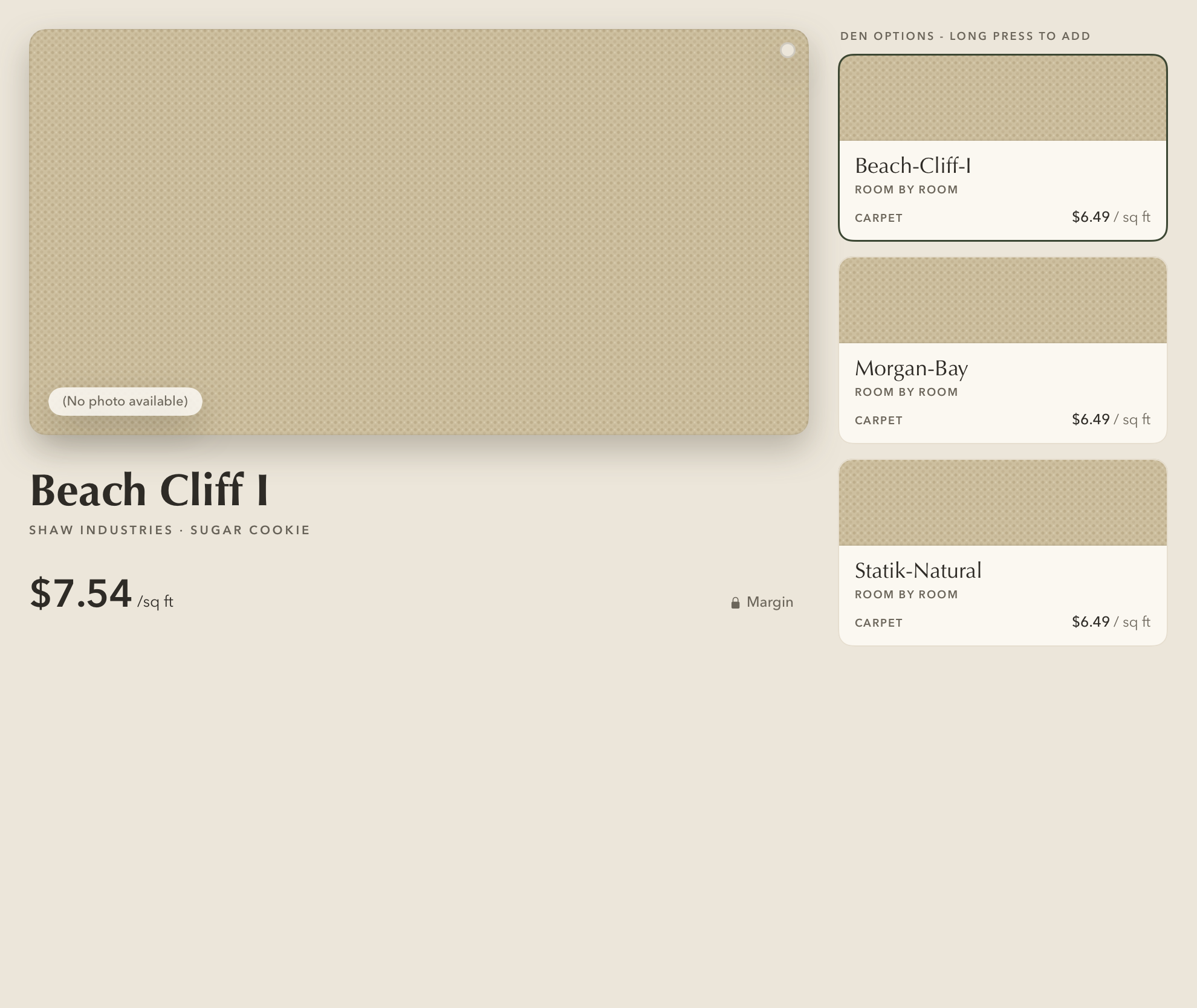
Live financing numbers on the picker

"As low as" under the price, and a check on the budget card.
In 6.2
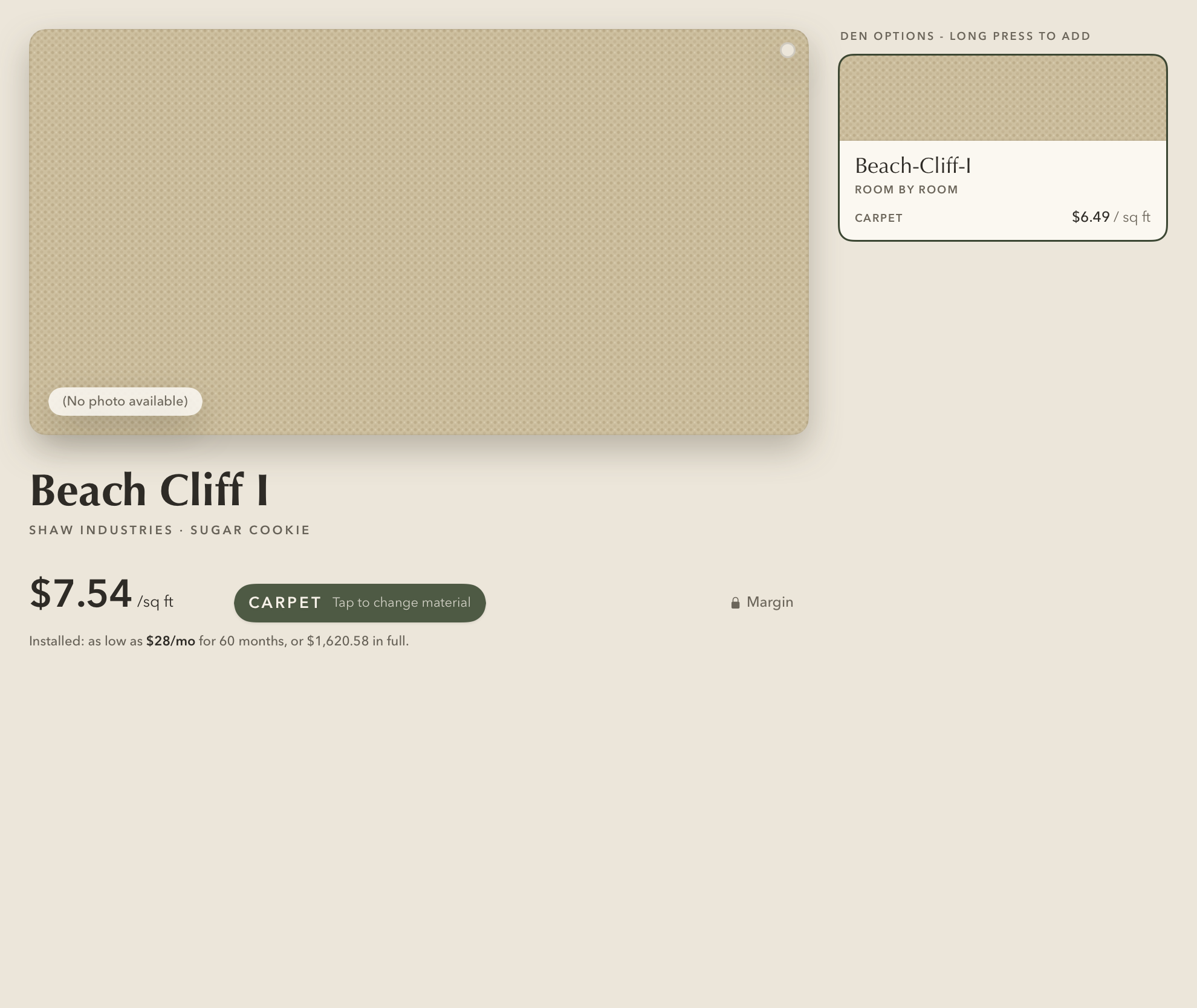
After: the picker with the payment line Before: the picker without it
BeforeAfter
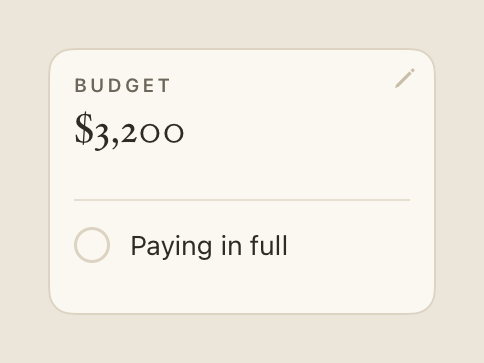
The check on the budget card
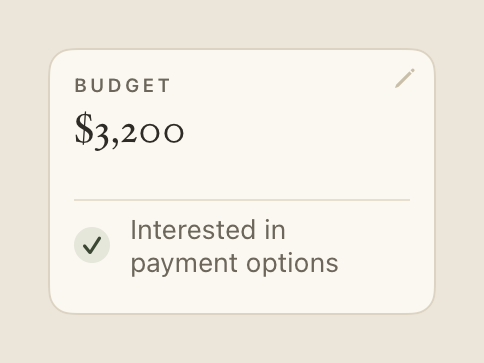
The budget card, the check on
OnInterested in payment options
The budget card, the check off
OffPaying in full
02

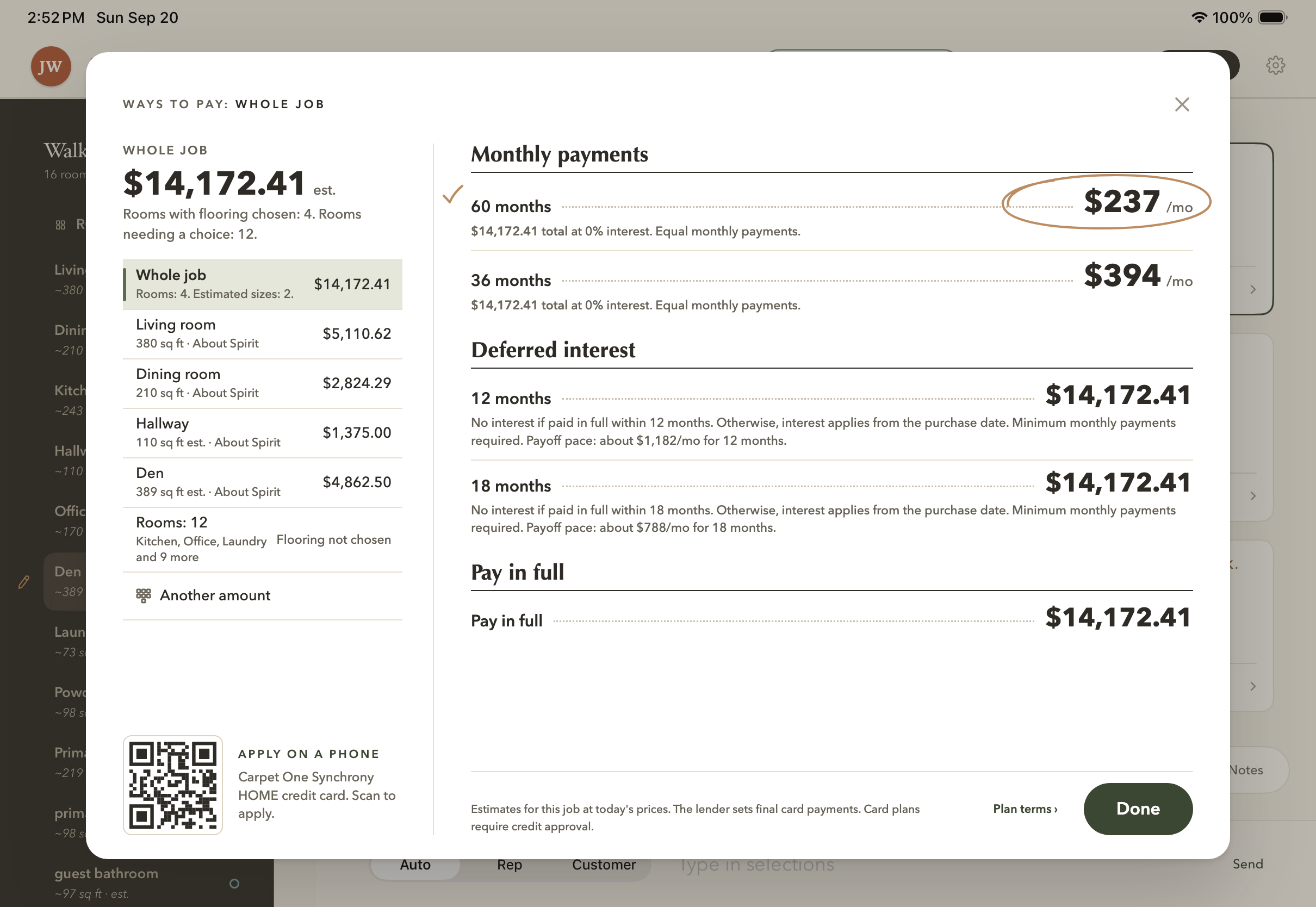
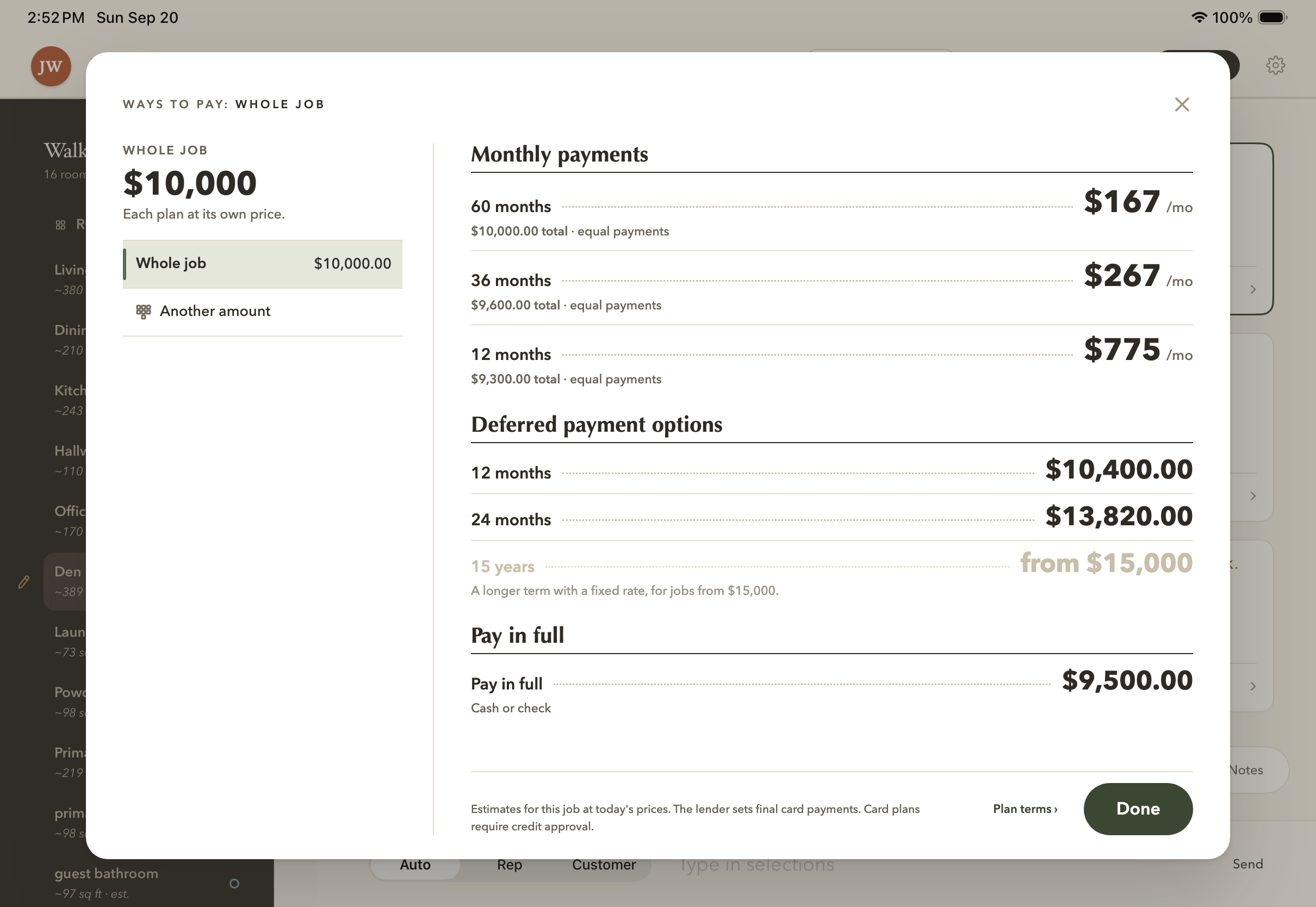
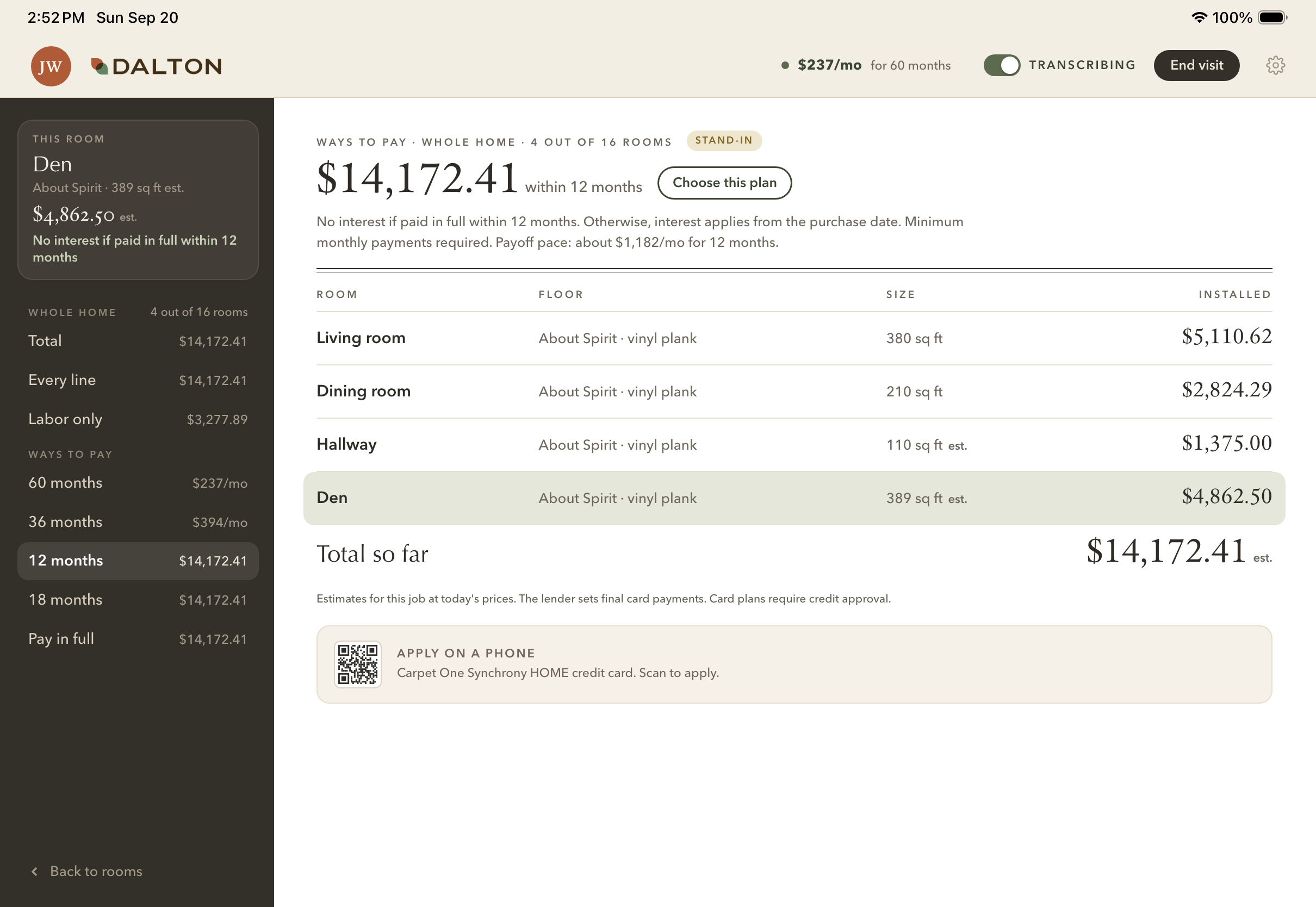
The financing pages

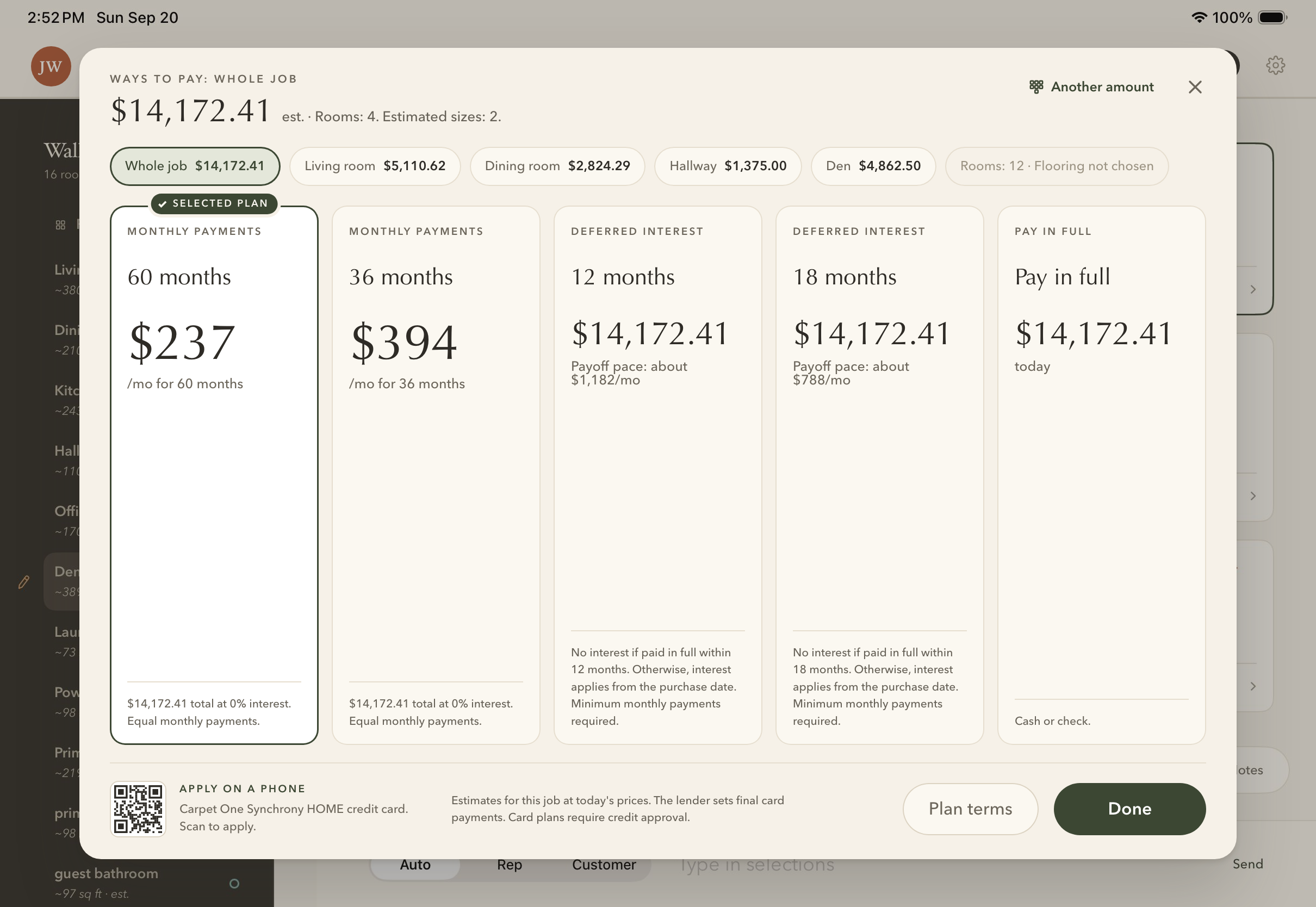
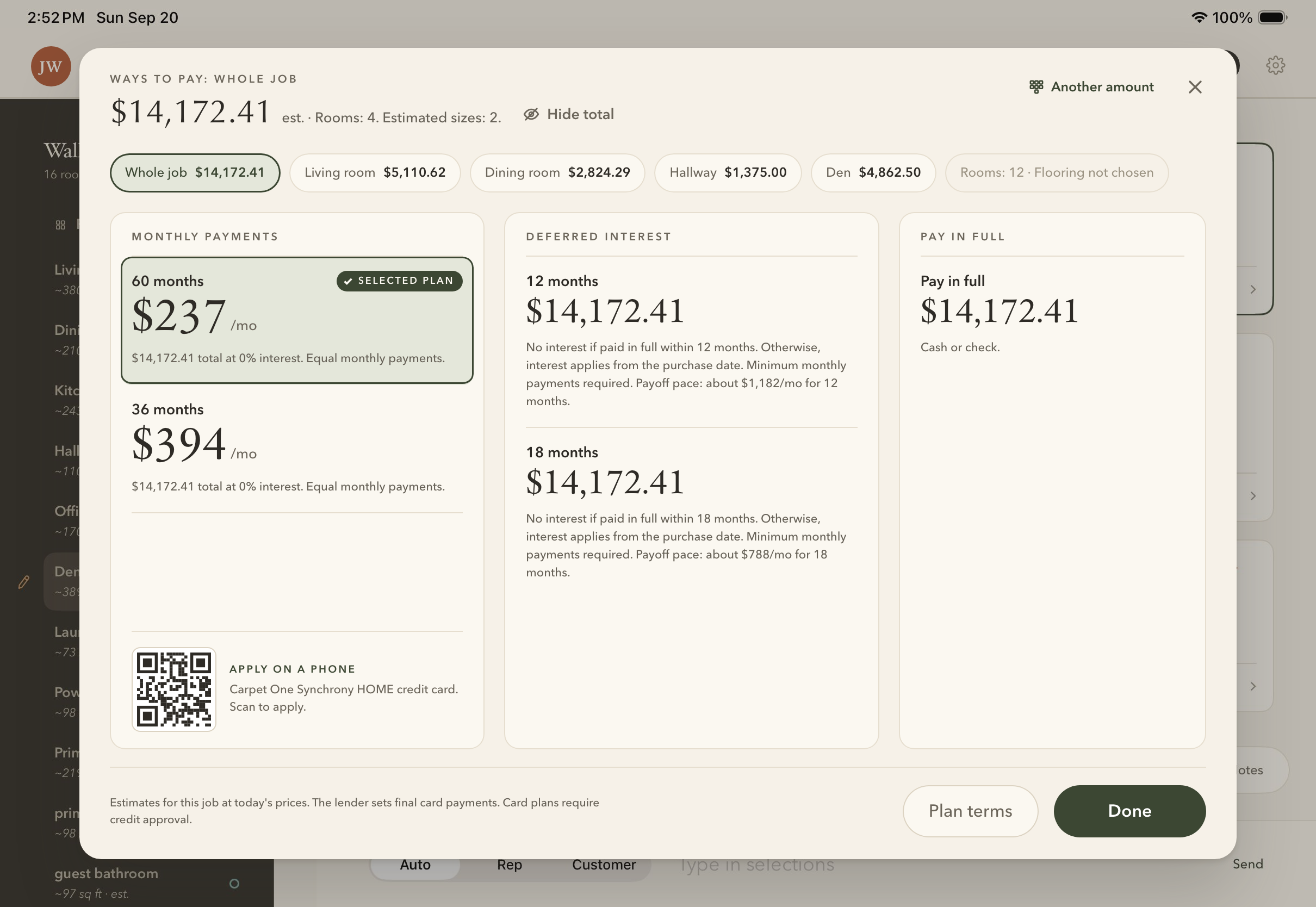
Every way to pay, on the whole installed job.
Build next
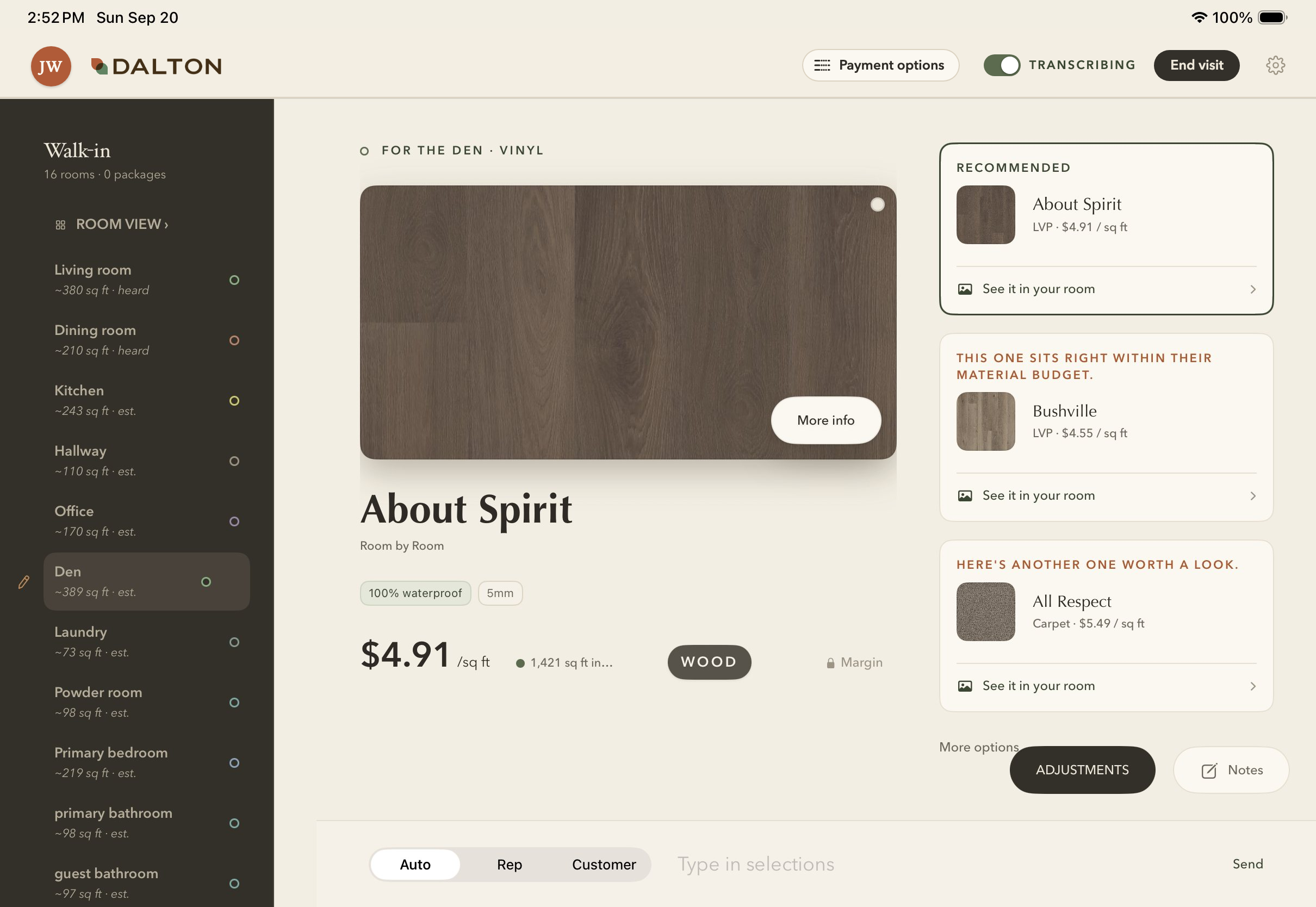
The Payment options button in the header
1The button
One press opens every way to pay
2One press
Exploring layouts for financing offers
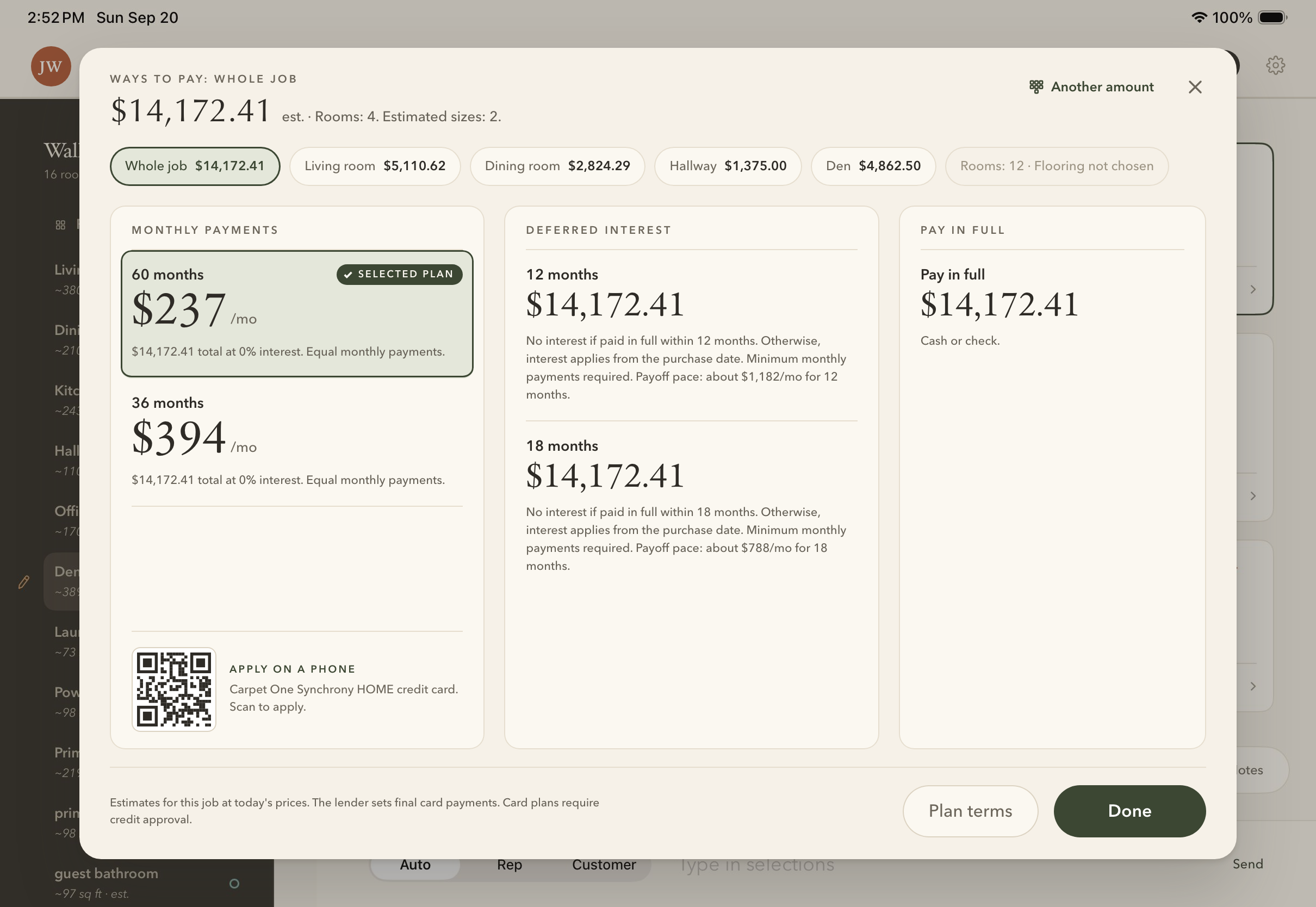
Menu A, three columns
AThree columns
Menu B, a printed menu
BA printed menu
Menu C, one card per plan
COne card per plan
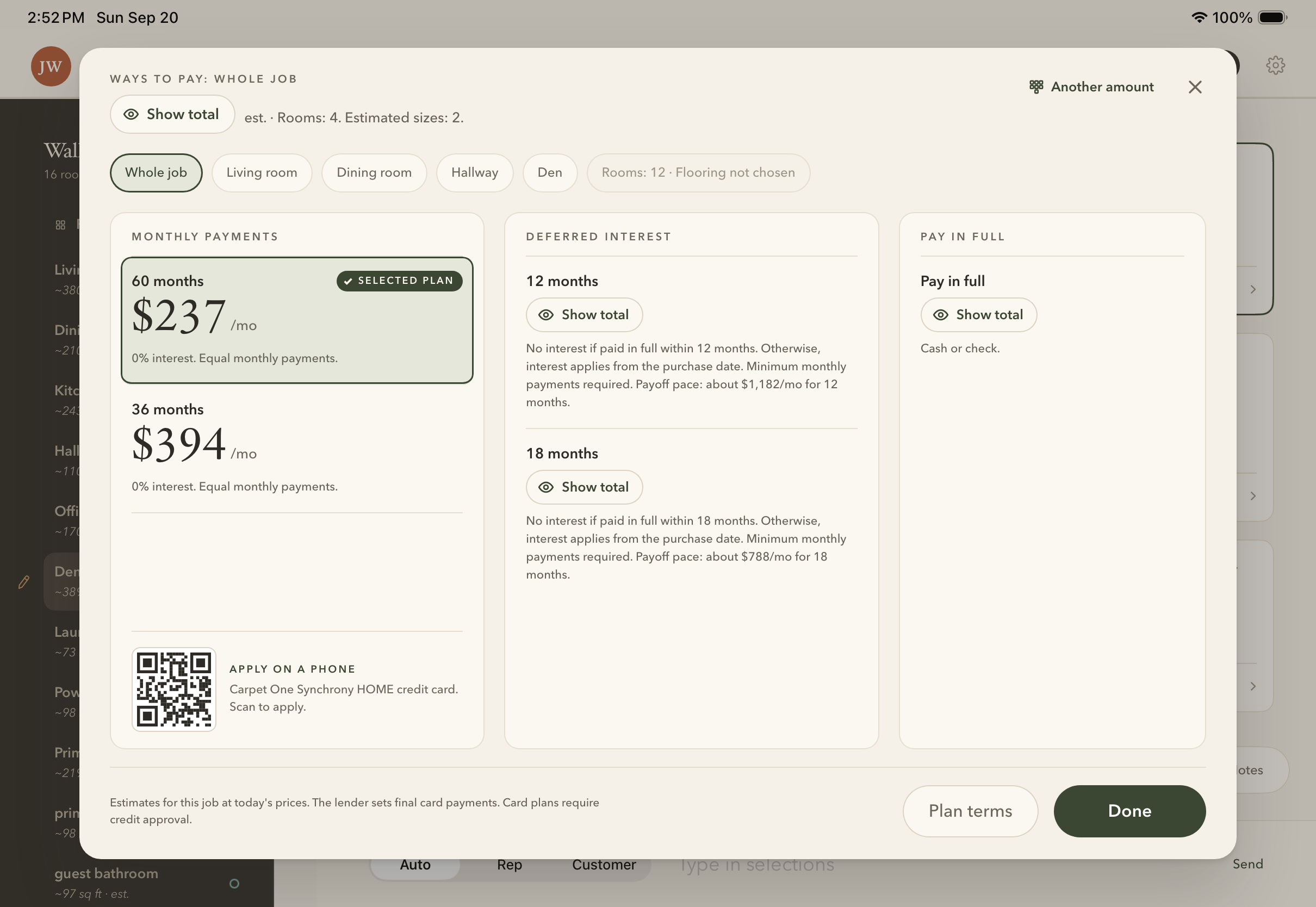
After the tap: every total shown Before the tap: the totals hidden
Before the tapAfter
DTotals on tap
Any amount
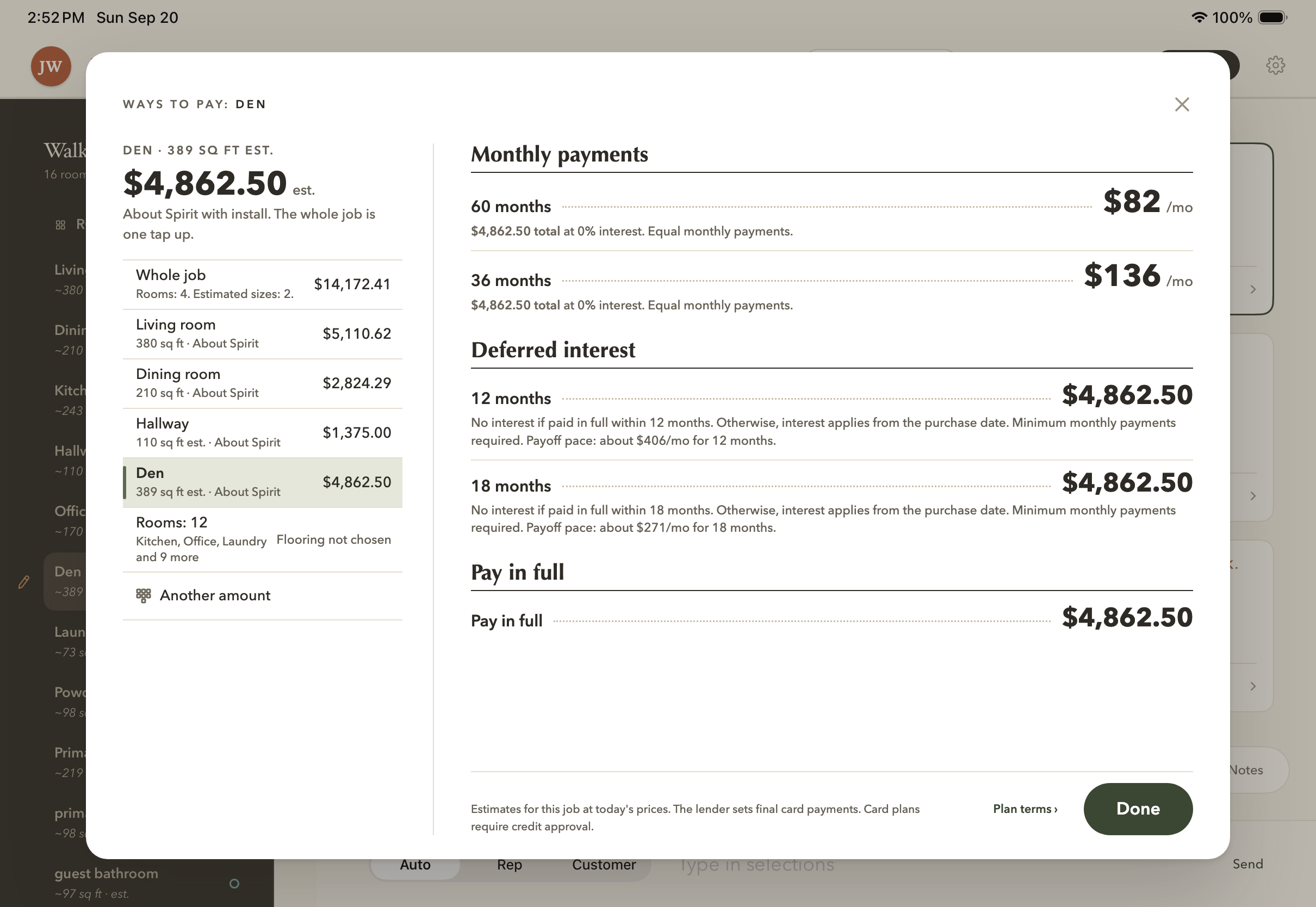
One room's ways to pay
One room
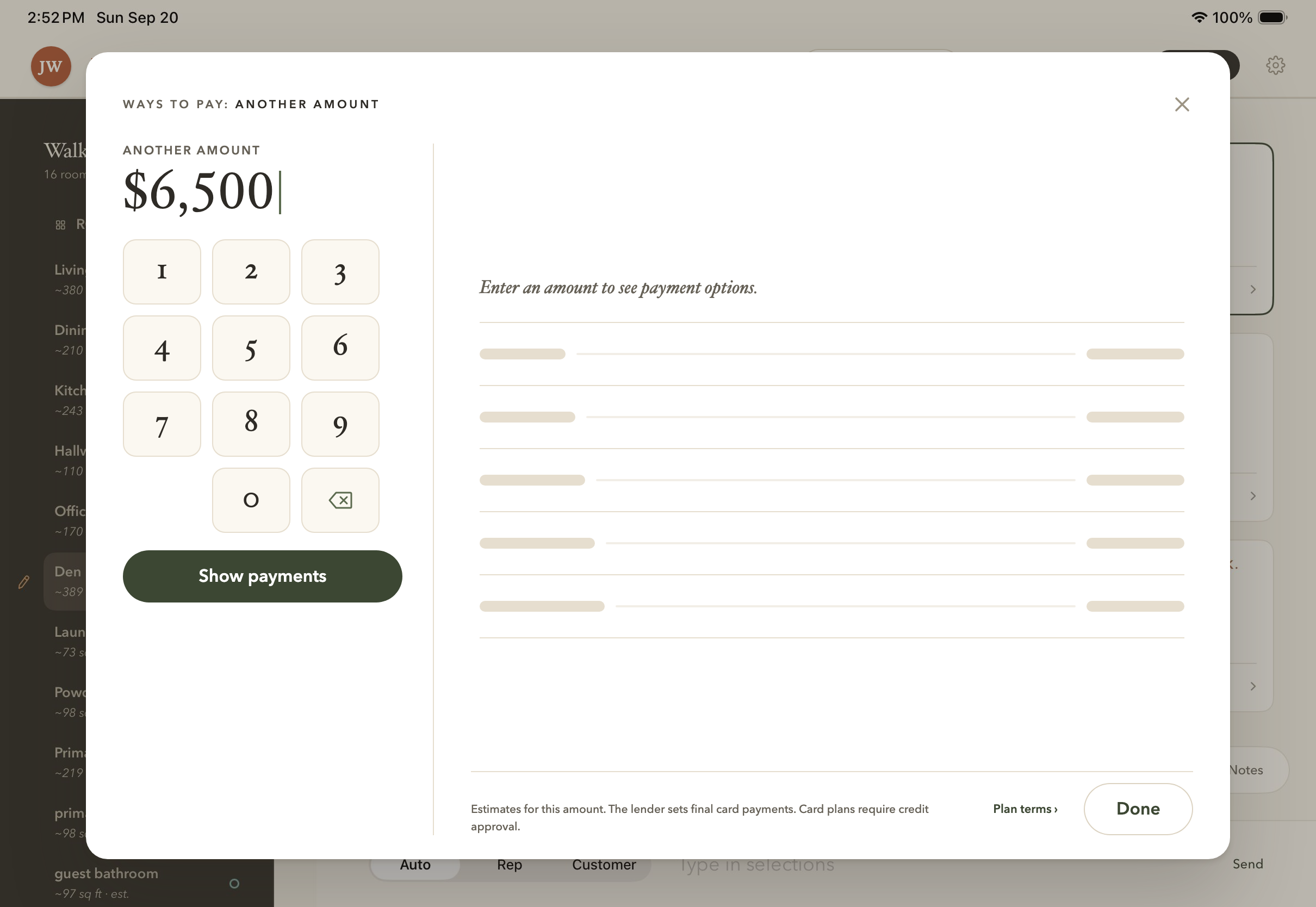
Another amount, typed on the pad
Another amount
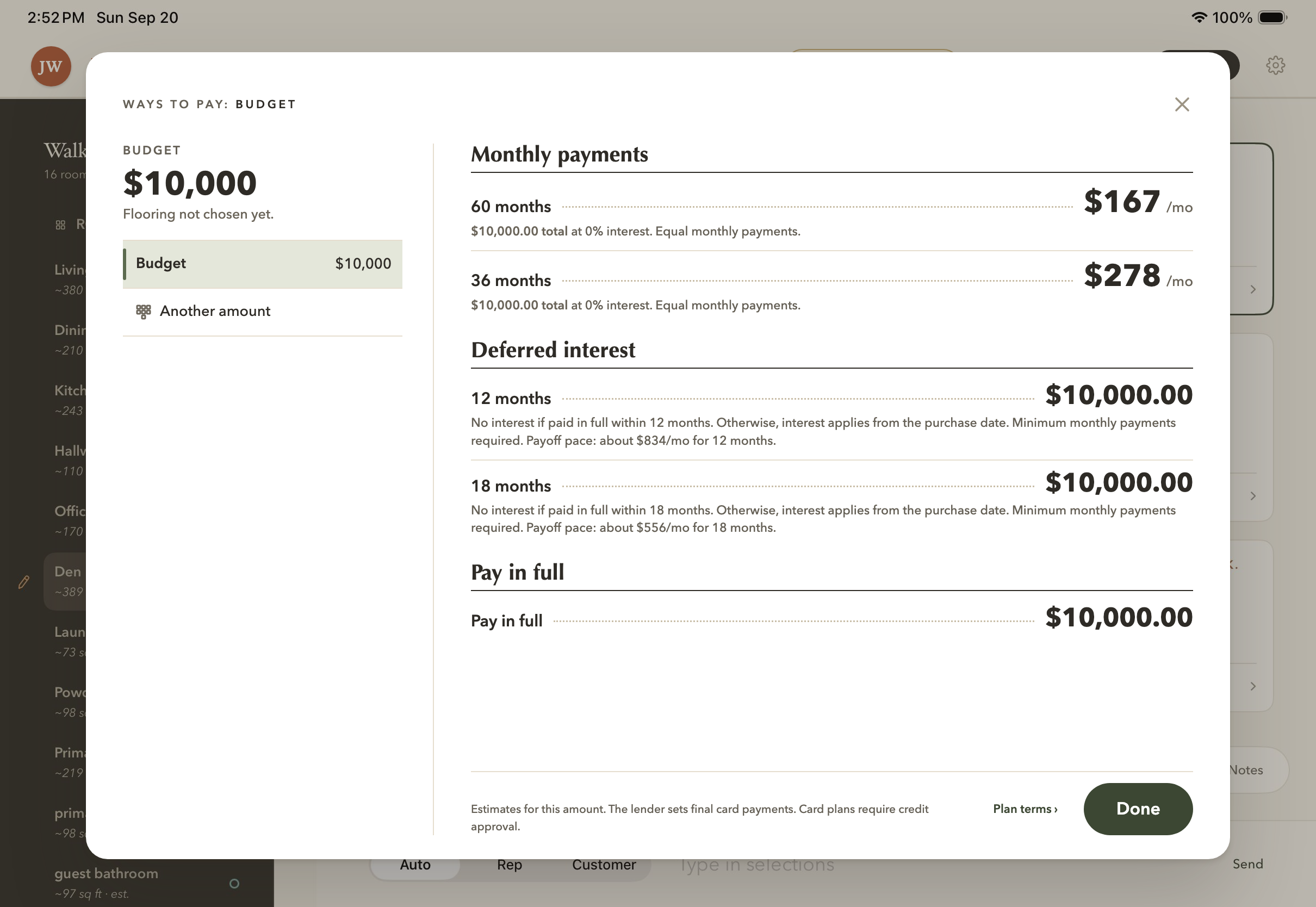
Nothing picked yet: the budget they said
The budget they said
Every plan on Don's list
Don's full list
03

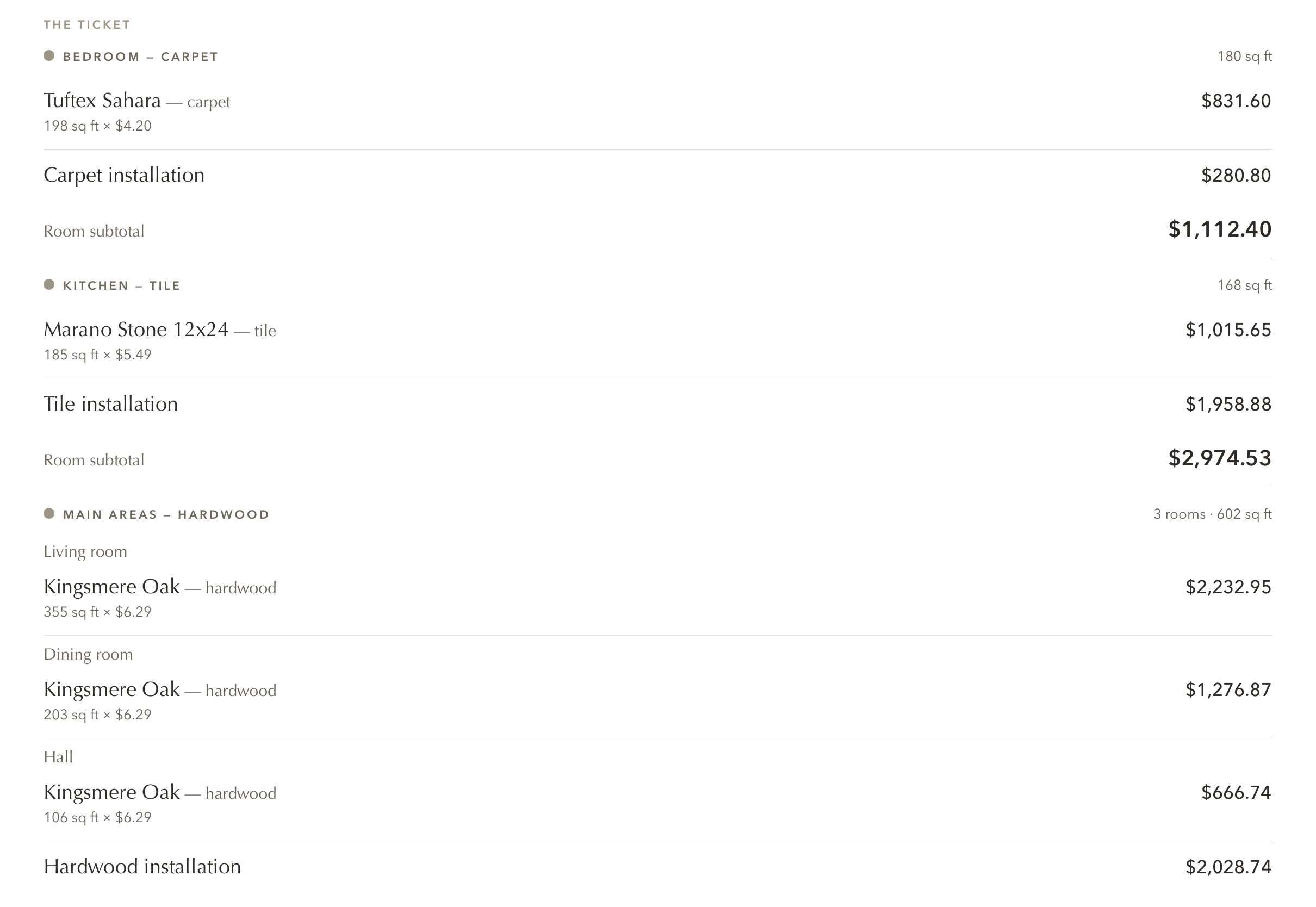
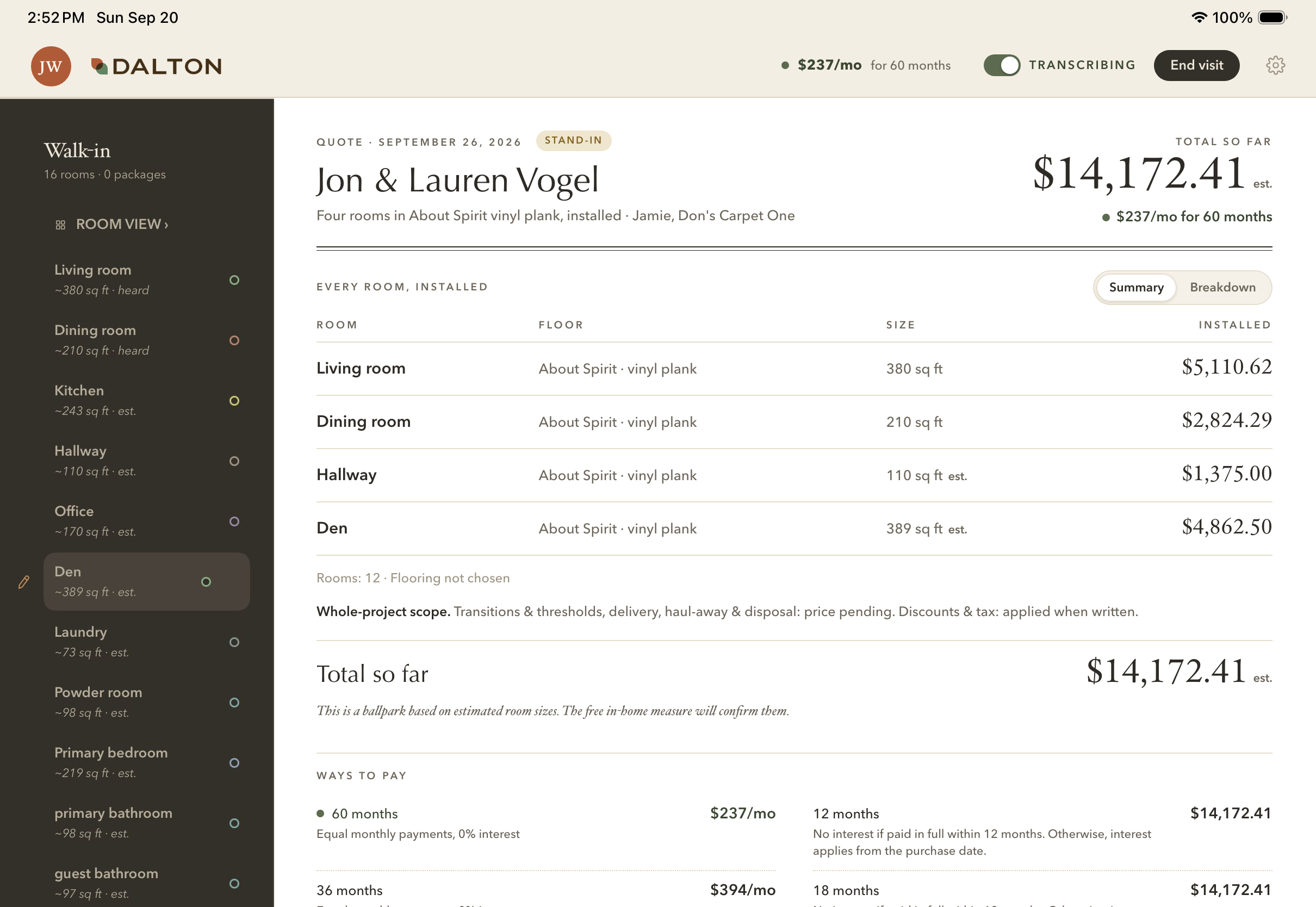
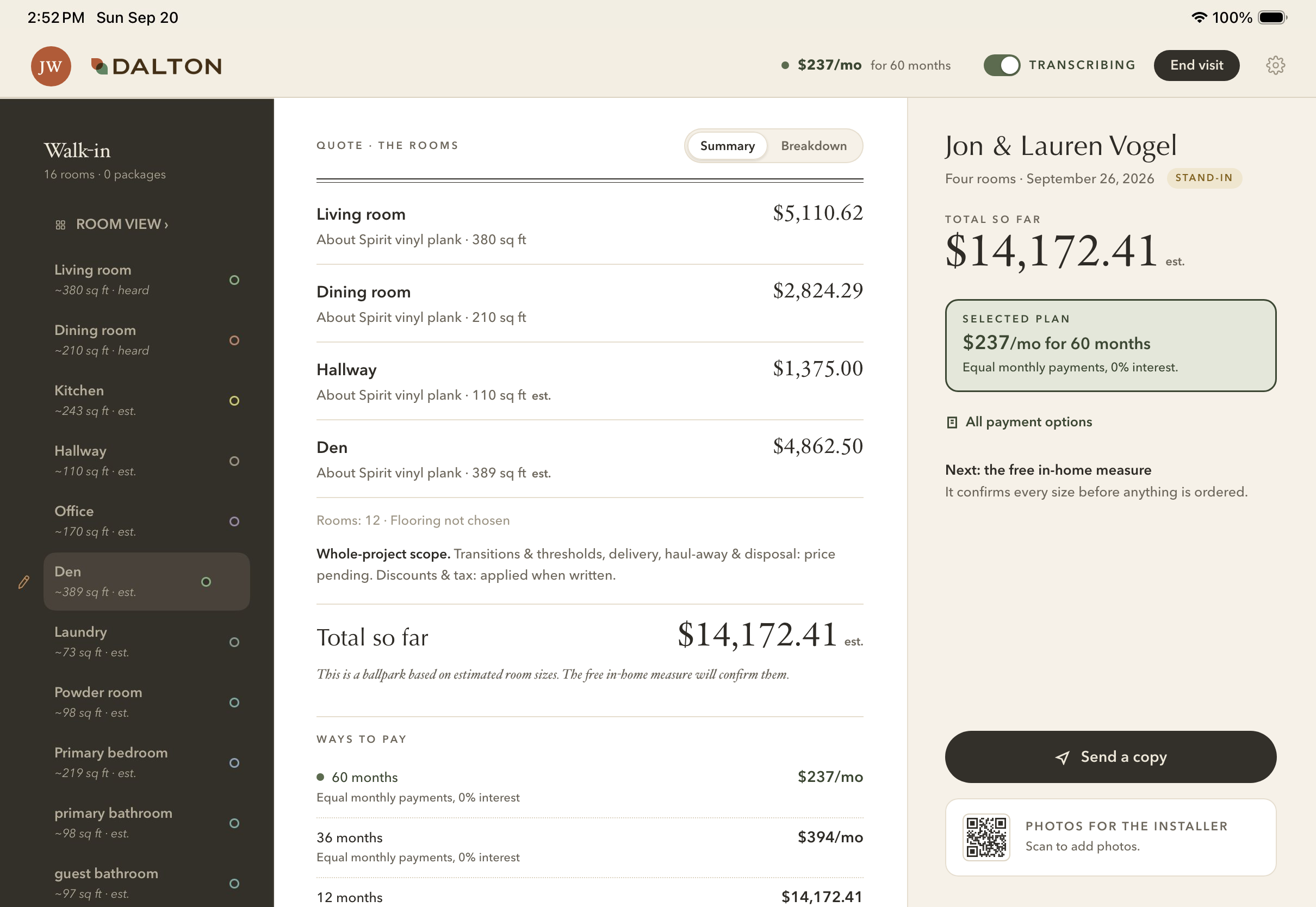
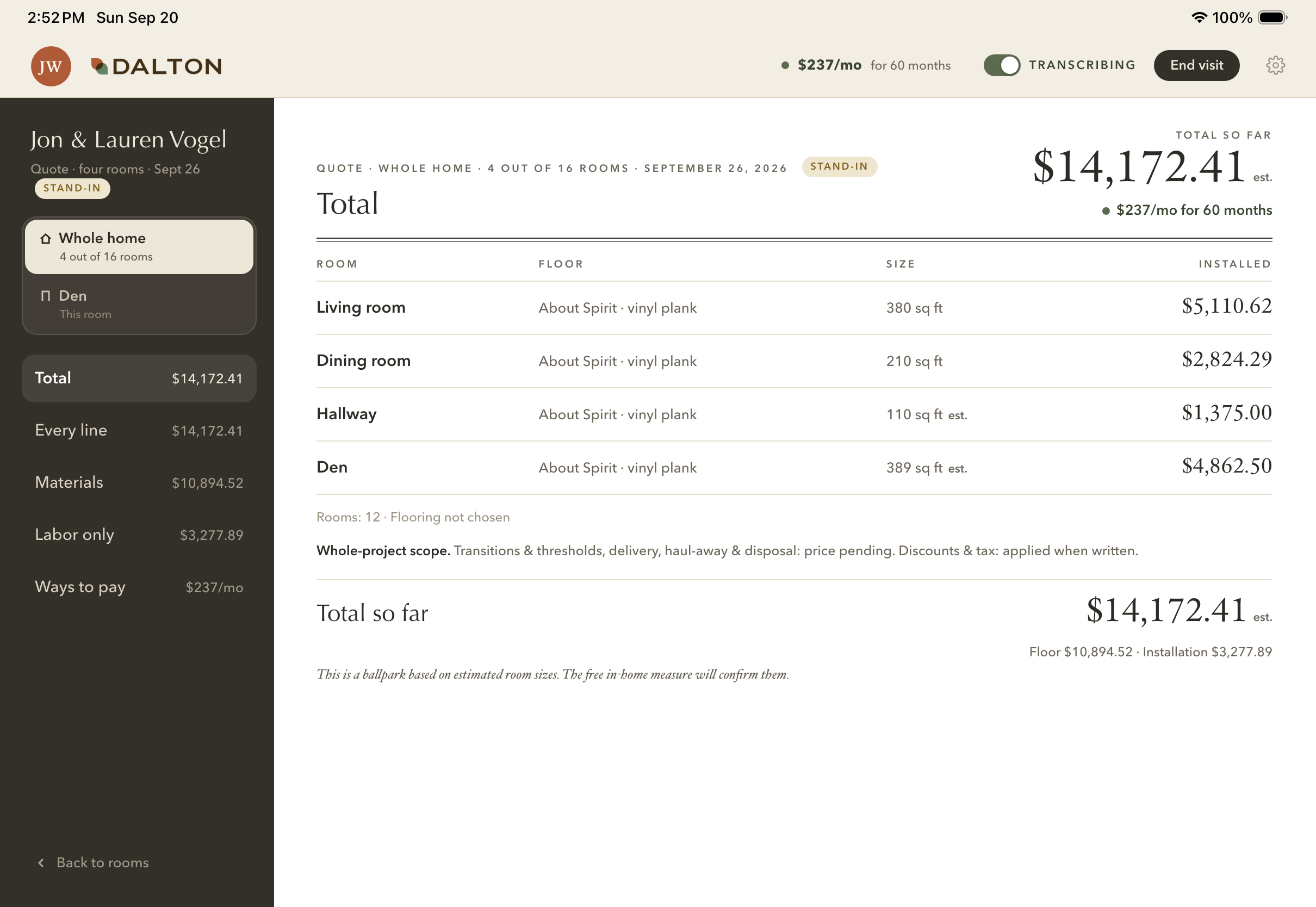
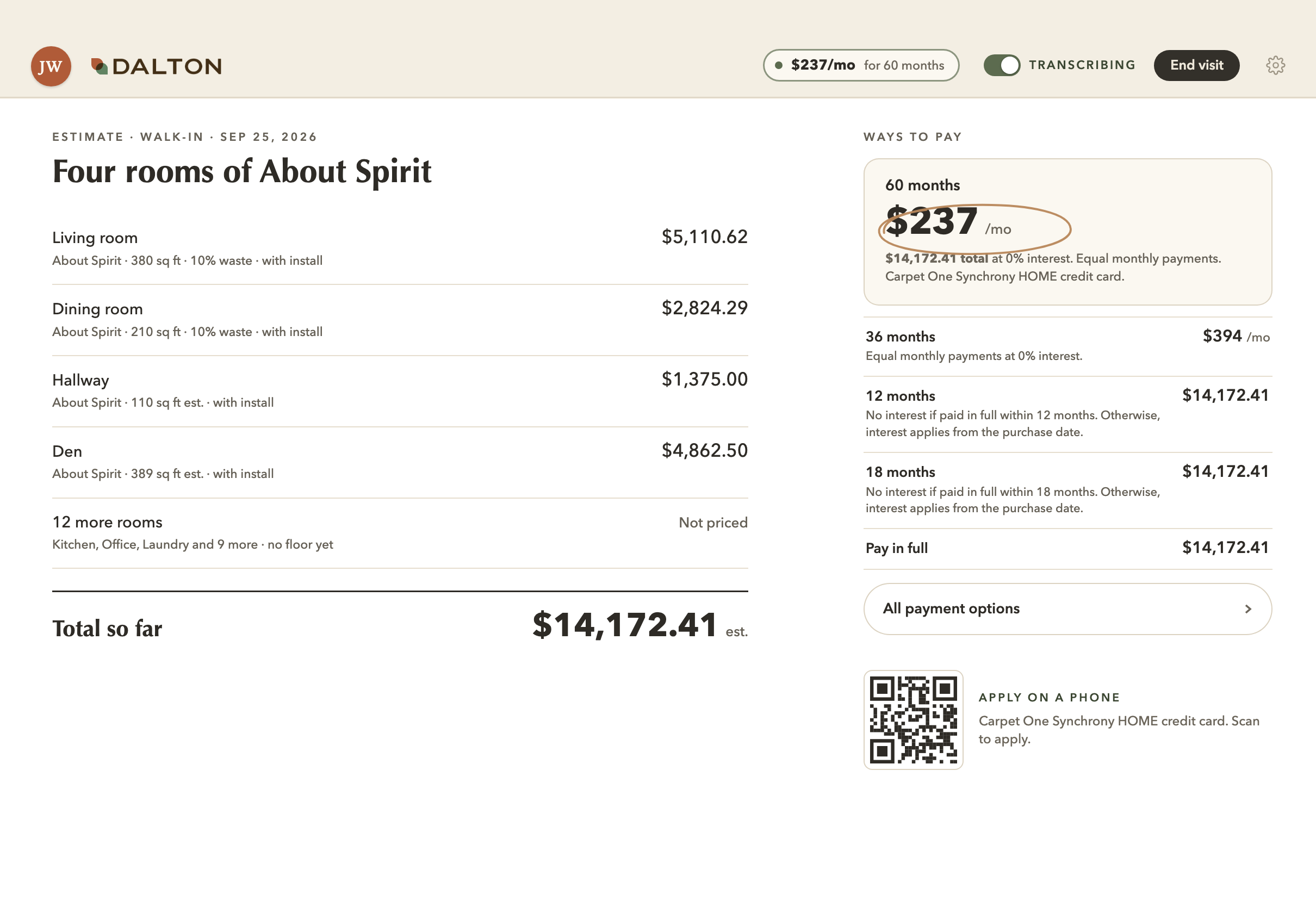
The quote page

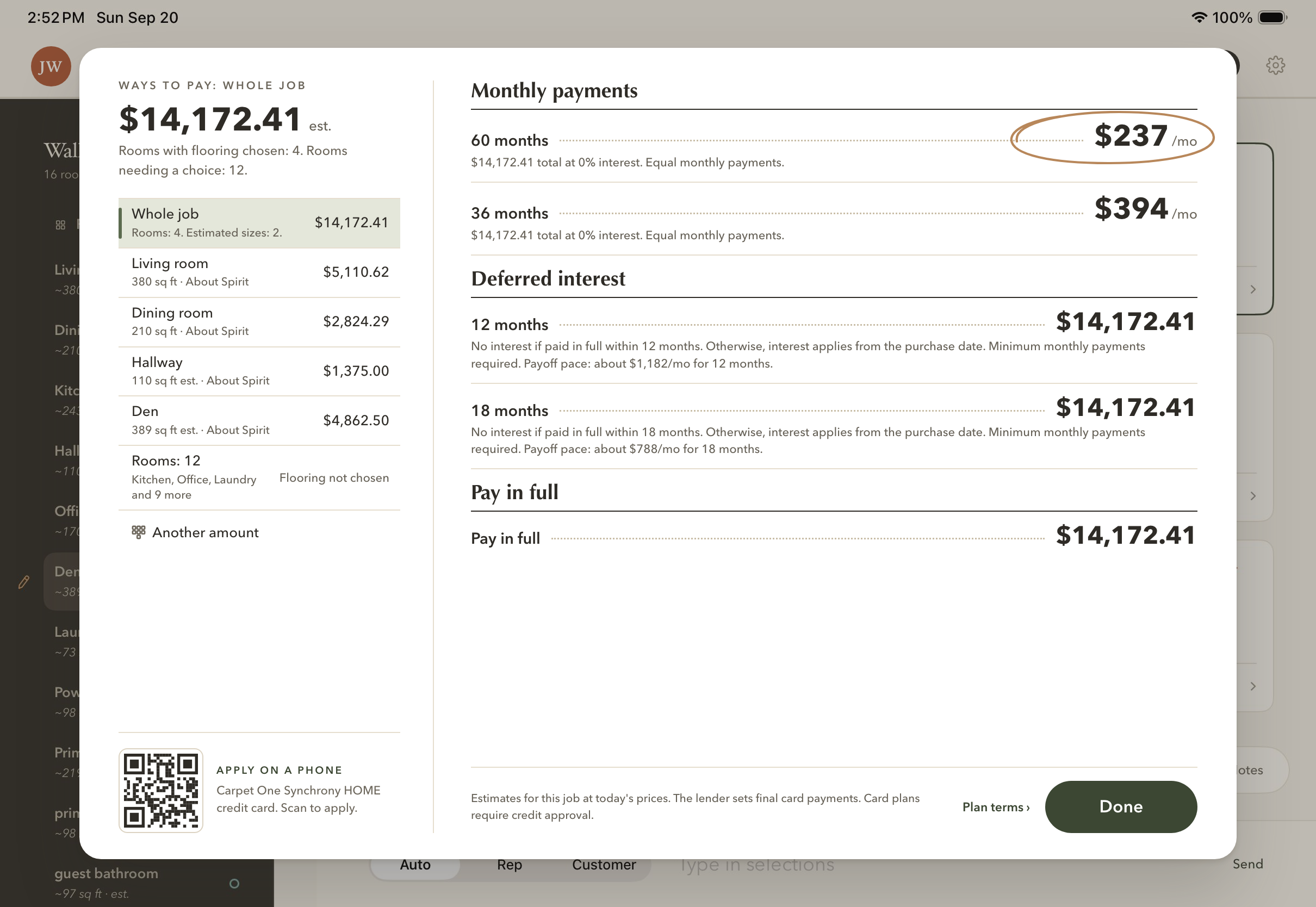
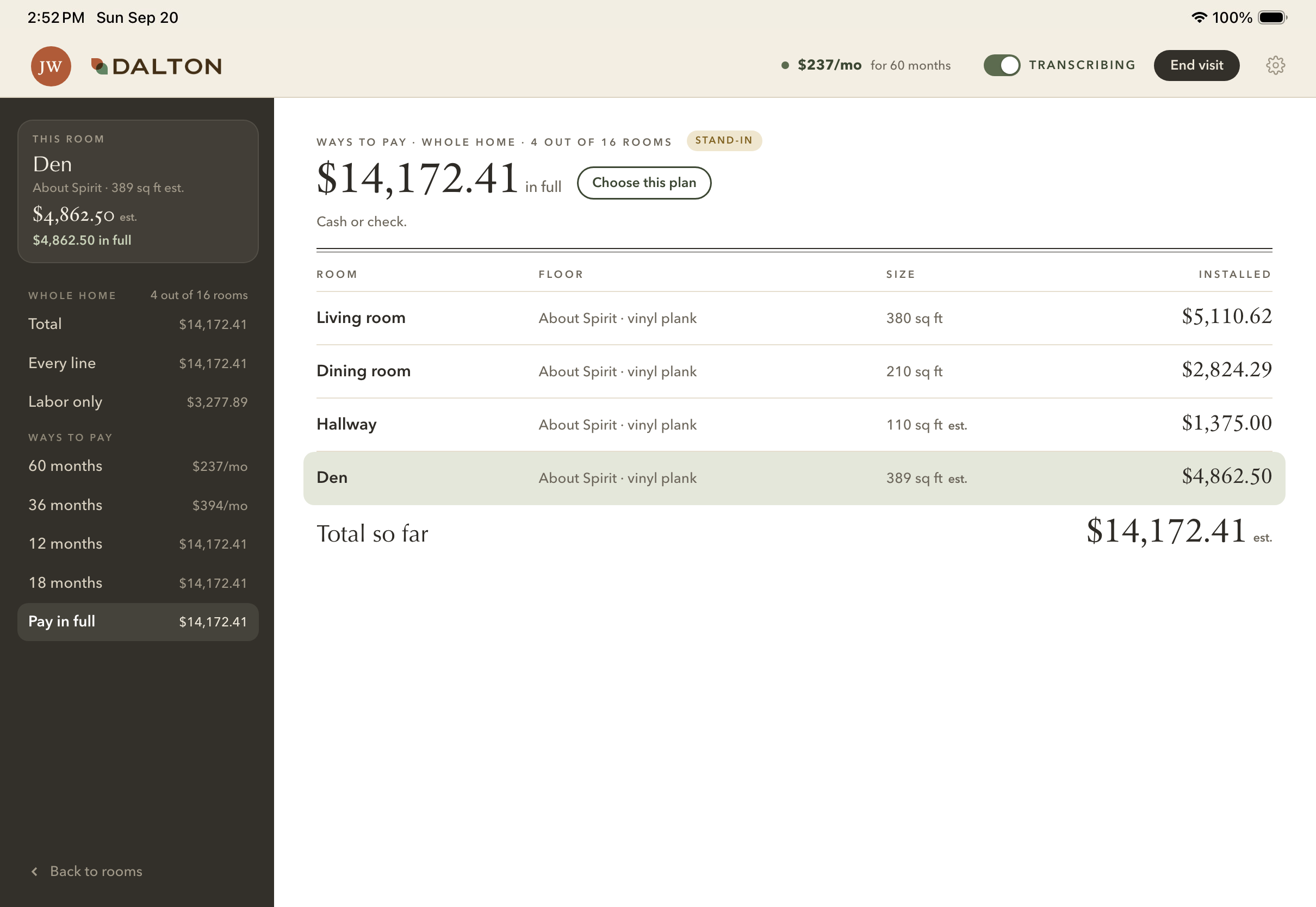
A long ticket, now design D.
Design D
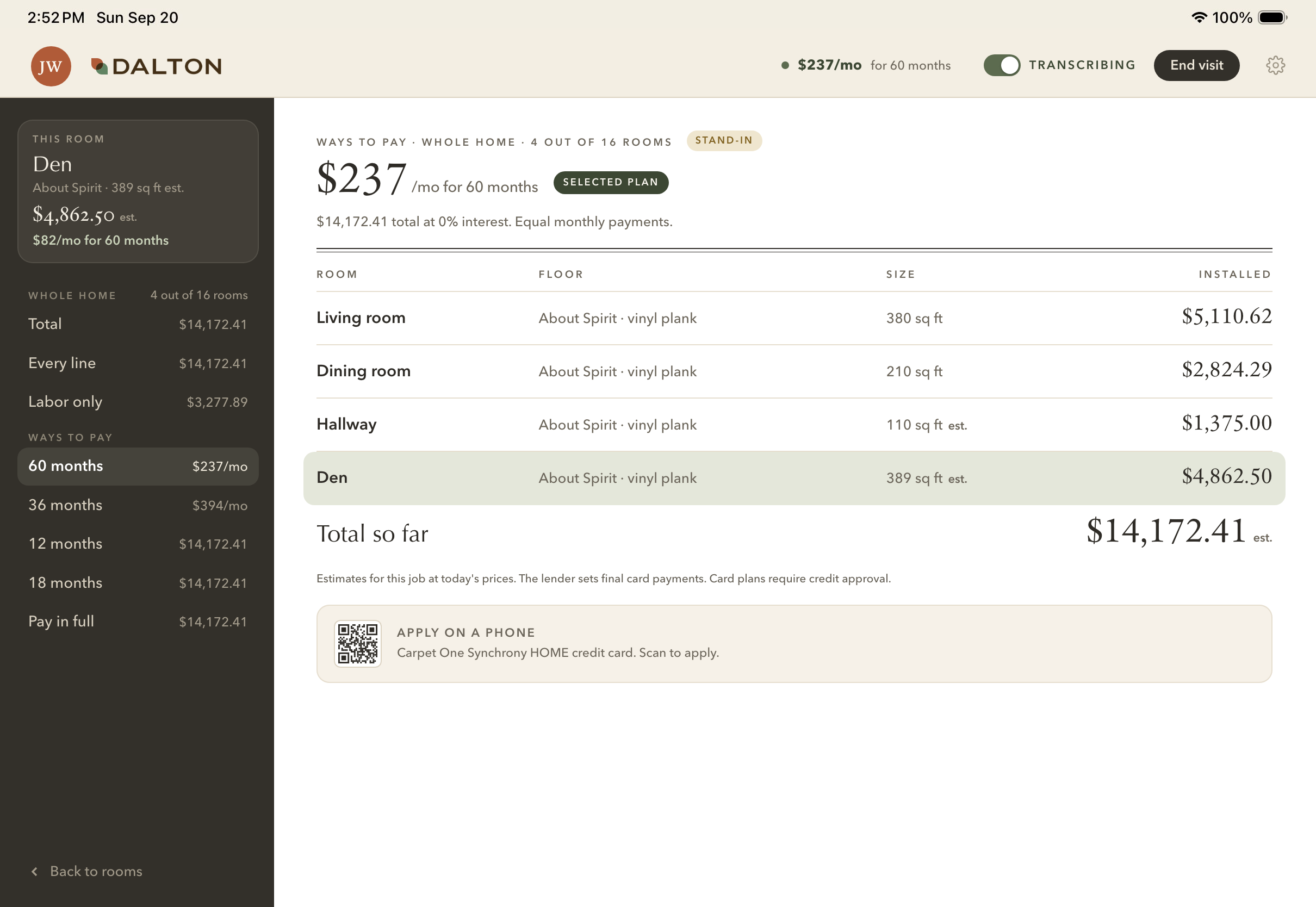
After: design D Before: today's ticket
BeforeAfter
Also drawn
A, the quote sheet
AThe quote sheet
B, the quote and its summary
BA summary column
C, the rail becomes the quote's views
CThe rail's views
D, the pick: a little of both
Design D, 60 months chosen
60 months
Design D, 12 months
12 months
Design D, pay in full
Pay in full
04

What the customer leaves with

Their quote by text or email, and their plan on their phone.
Build next
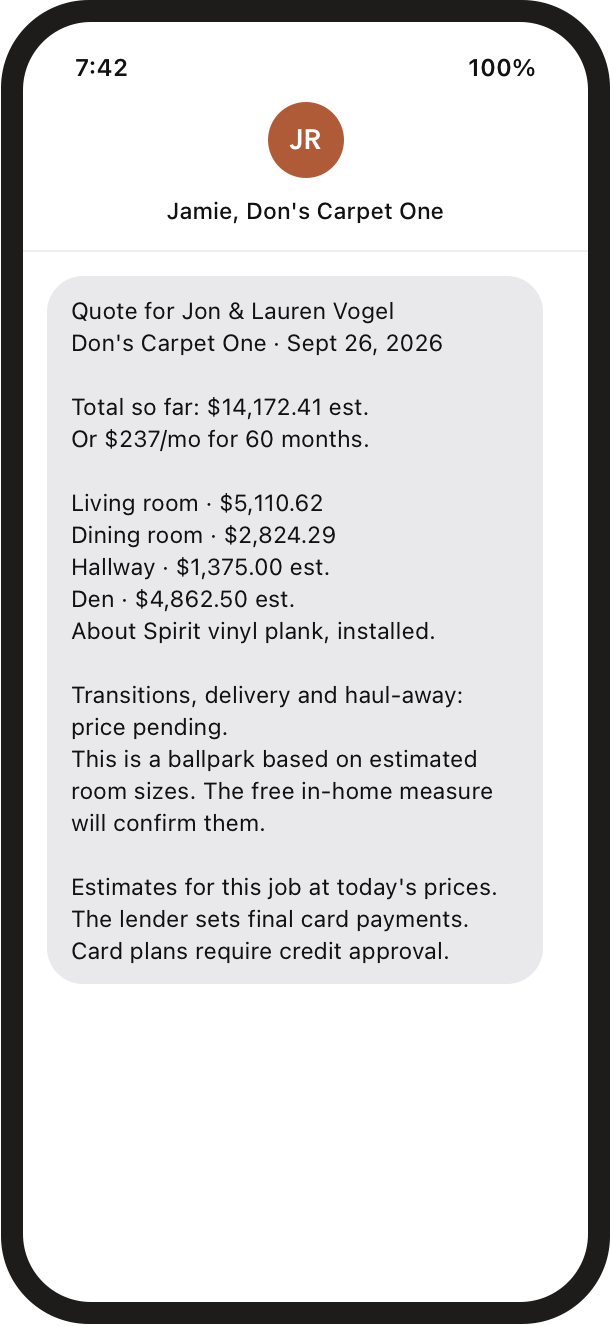
The quote by text, for a four-room job
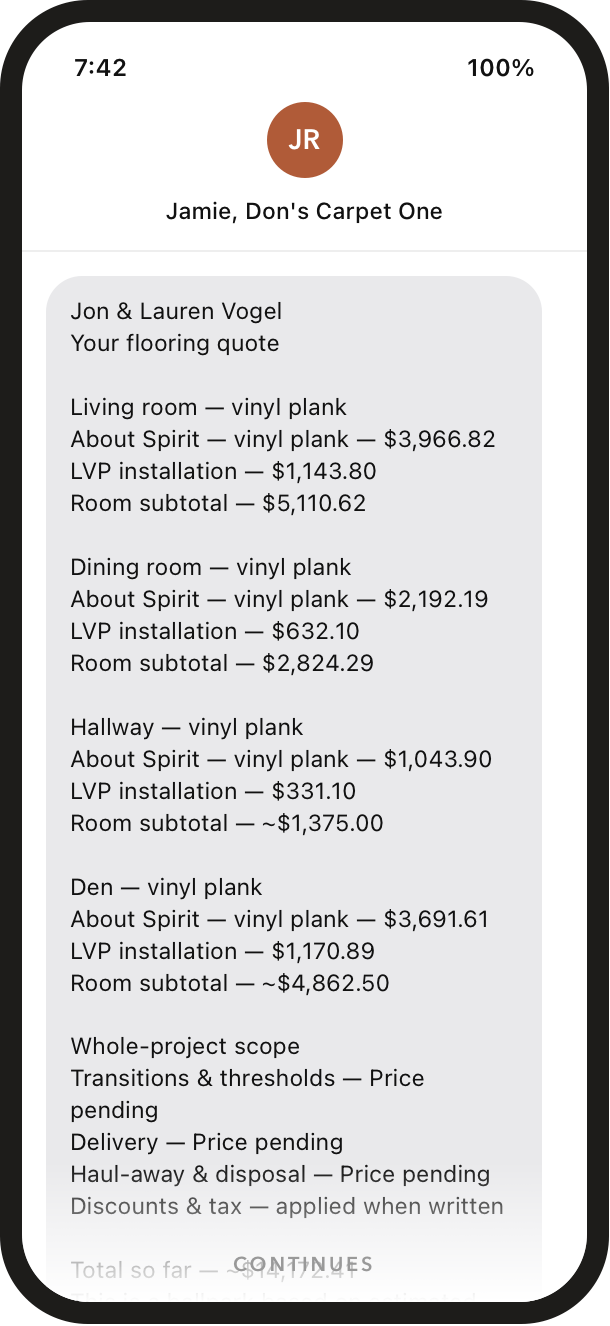
Today's text: a line for every row
31lines today
→
The cleaned text: the total first, one line a room
16lines
By email, and on their phone
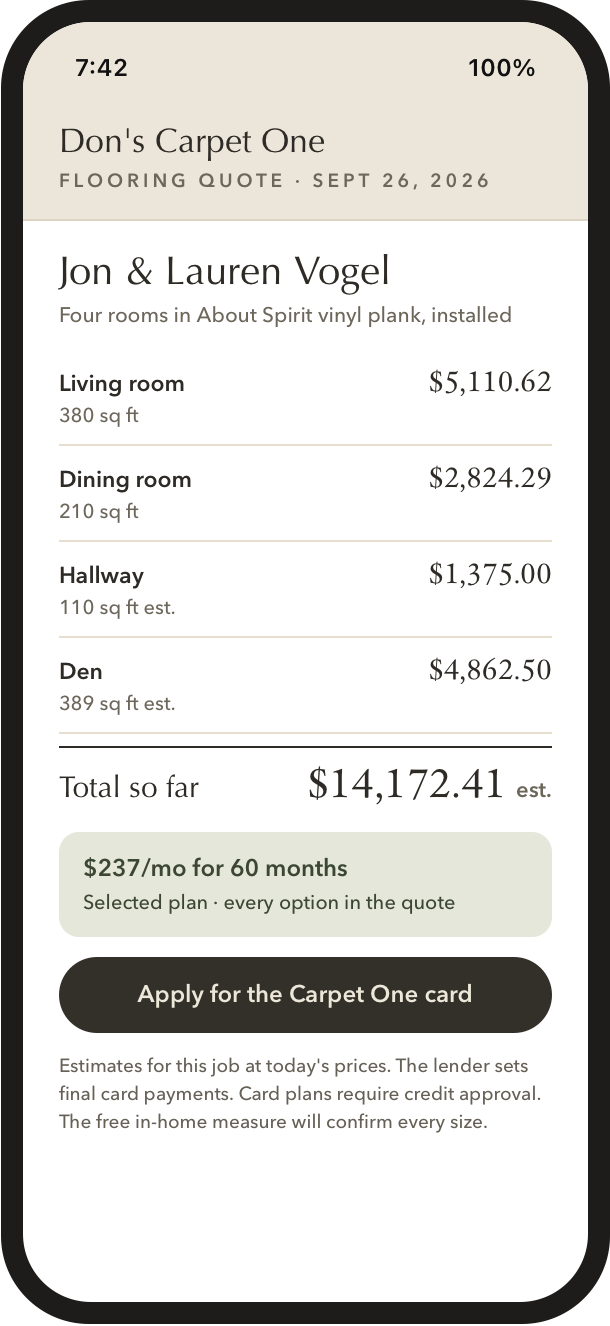
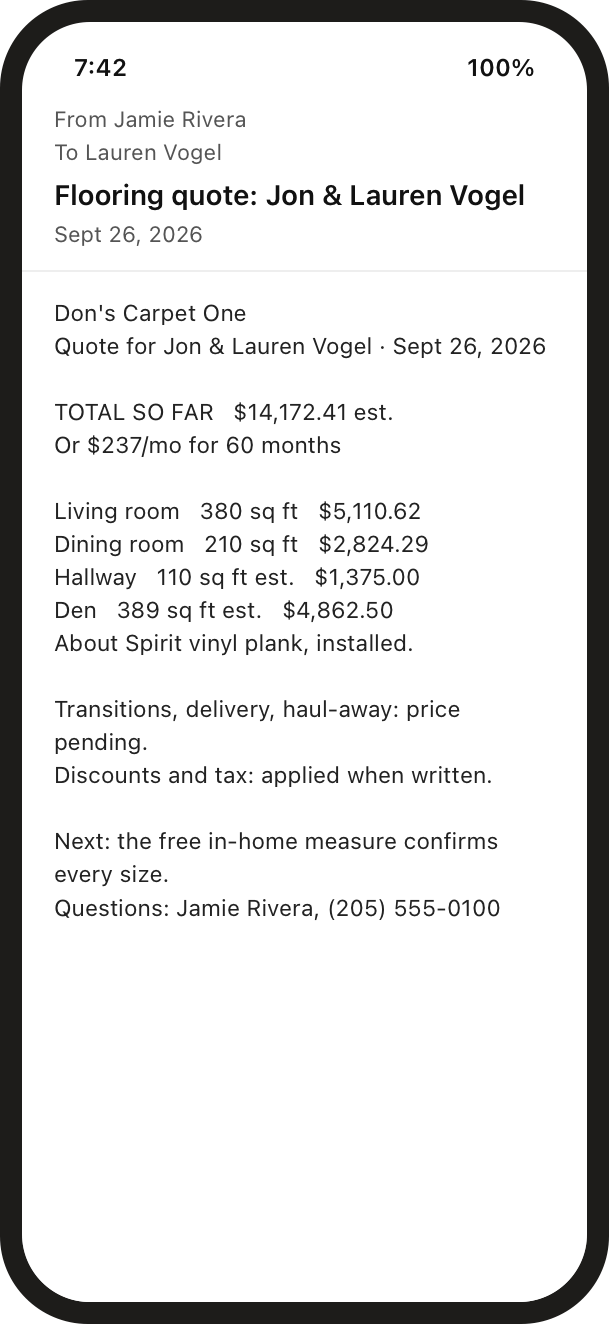
The quote by email, plain
Email, plain
The quote by email, designed
Email, designed
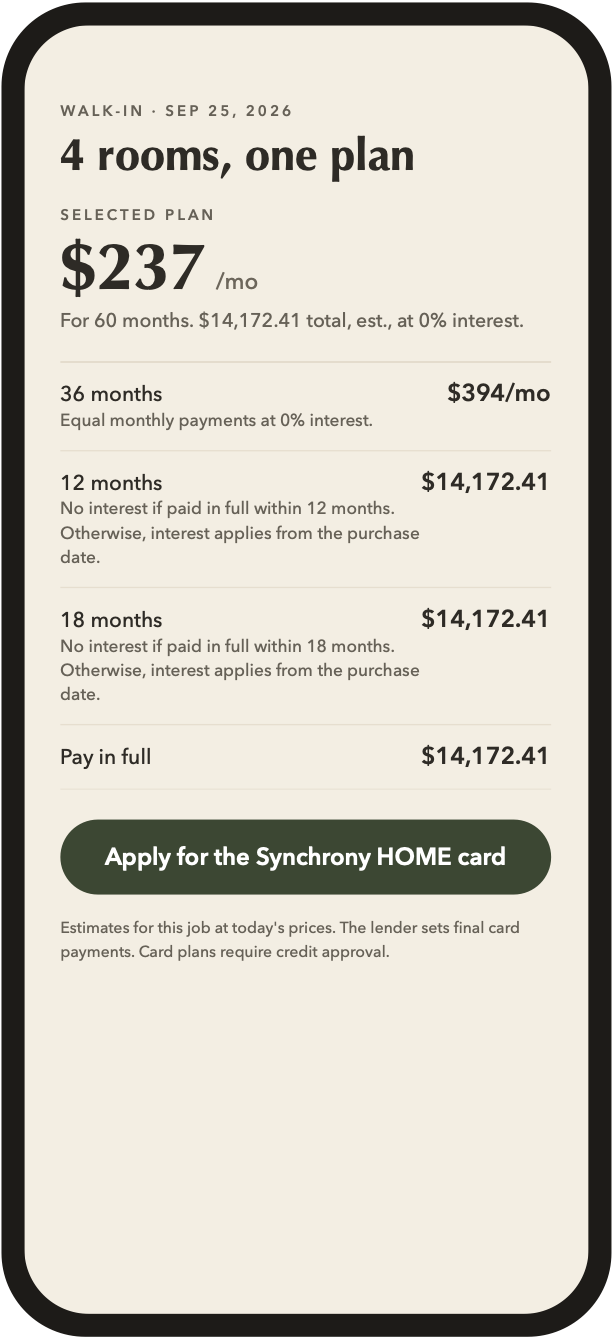
Their plan on their phone
Their plan, on their phone
The receipt
The receipt, the plan they picked first
Their plan first, every option listed
05

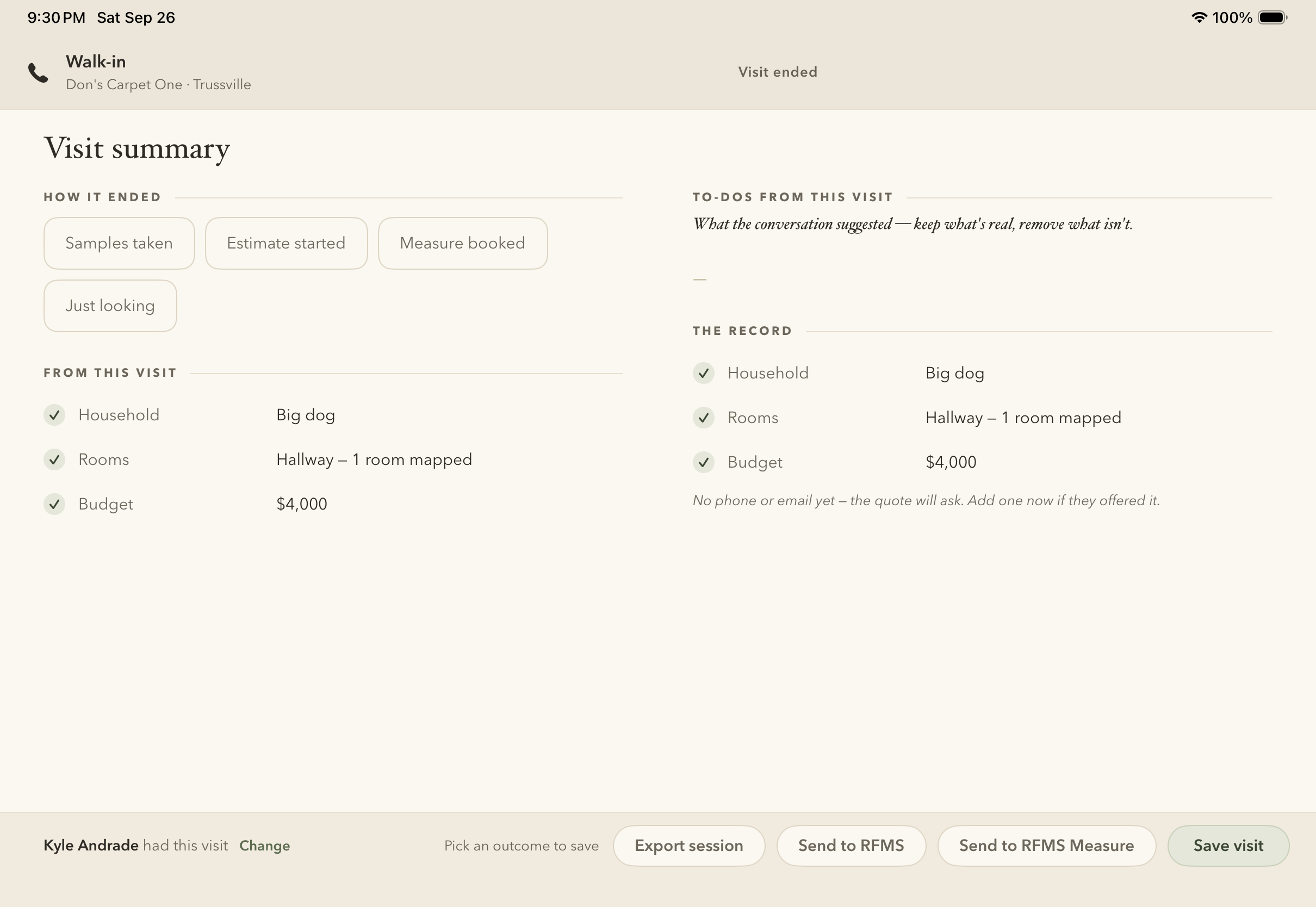
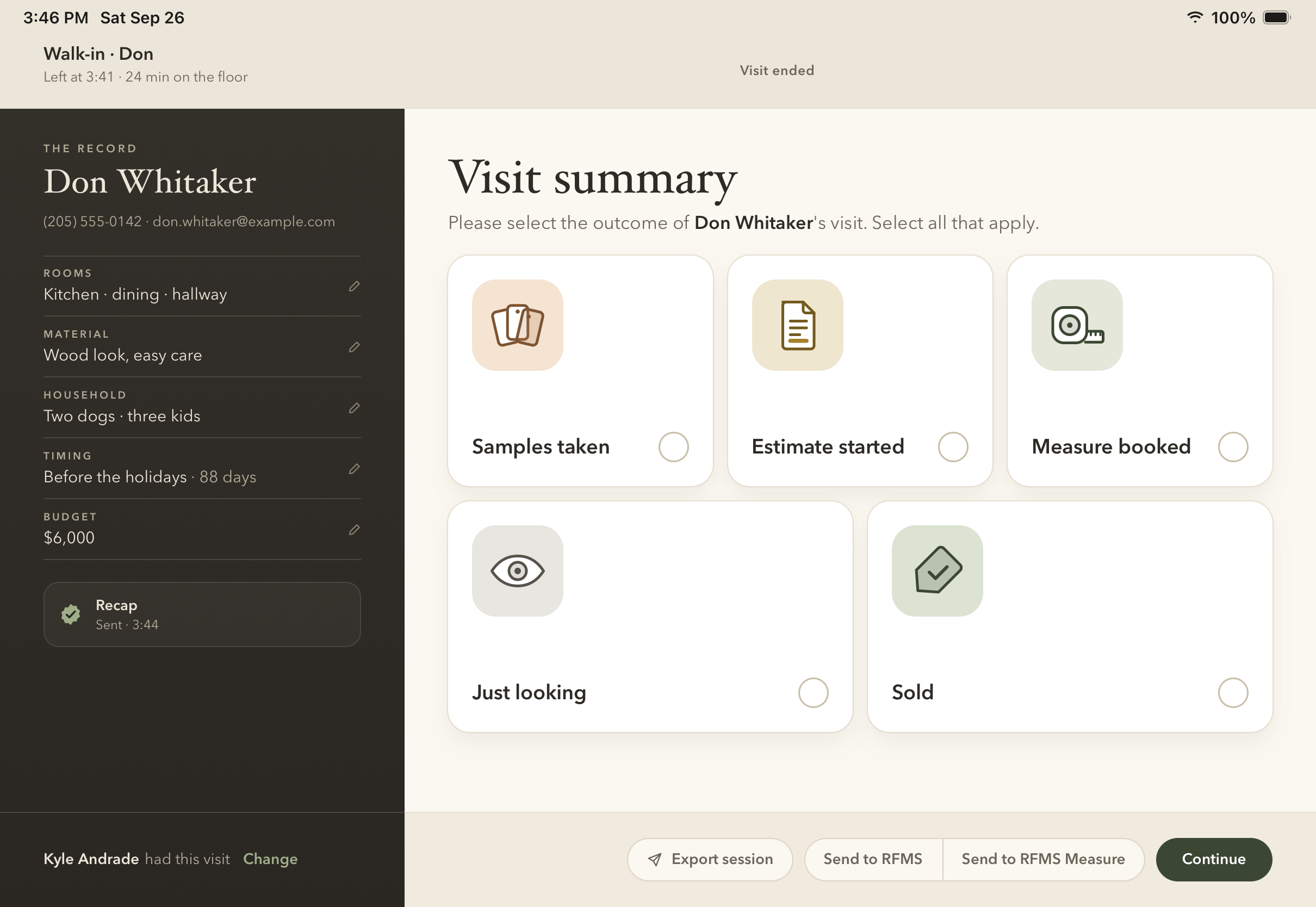
The visit summary

Two columns that said it twice, now one question first.
Build next
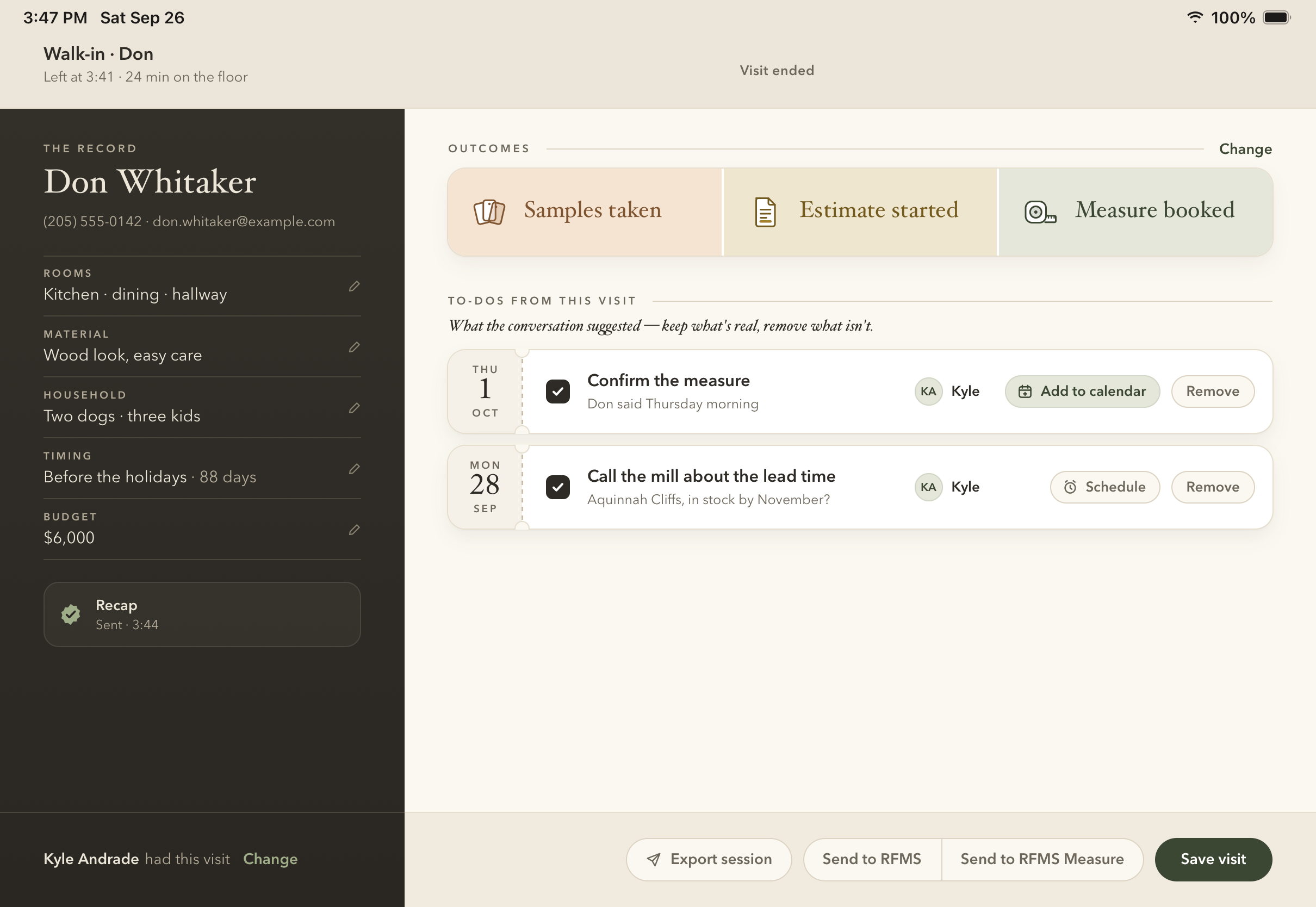
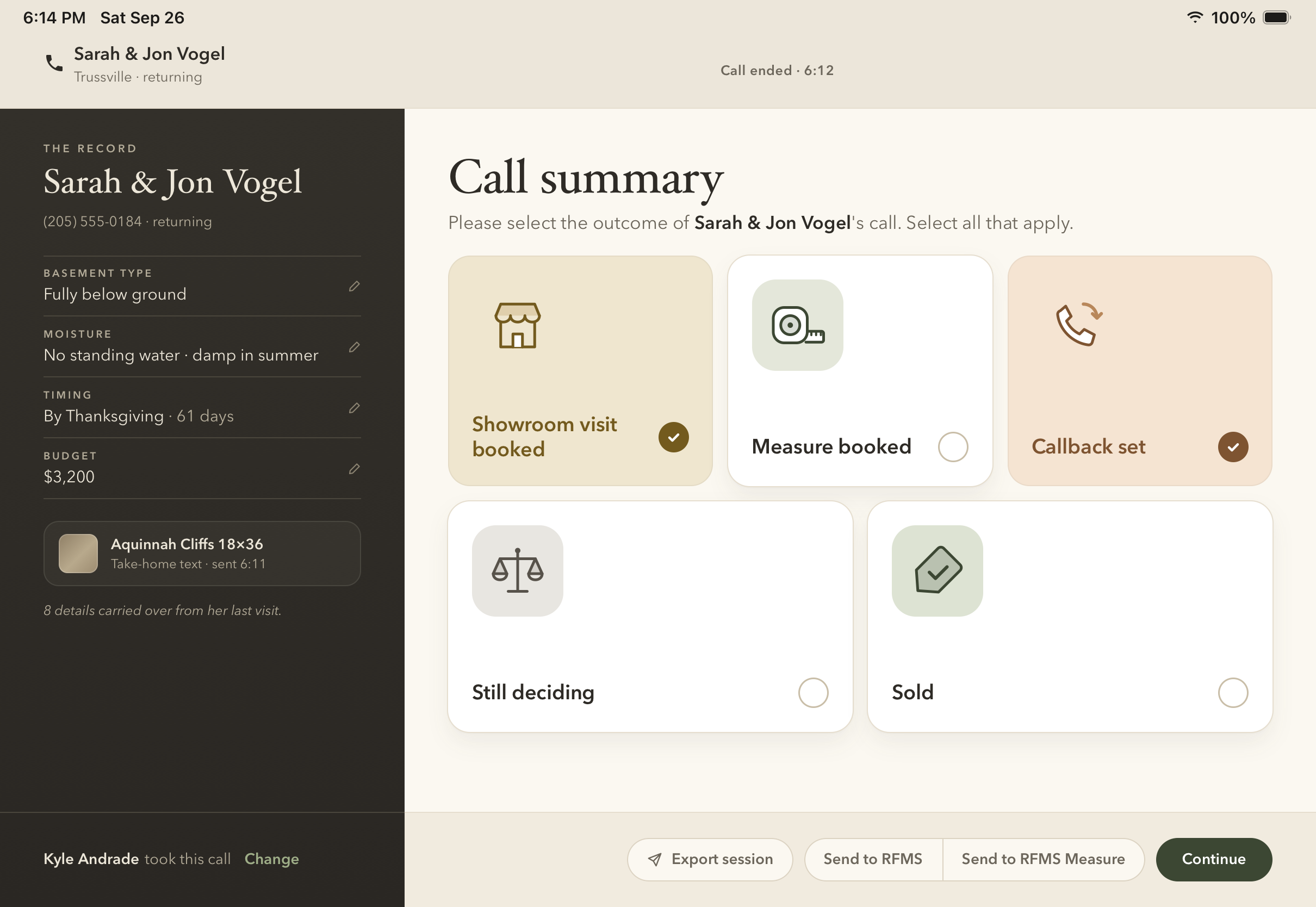
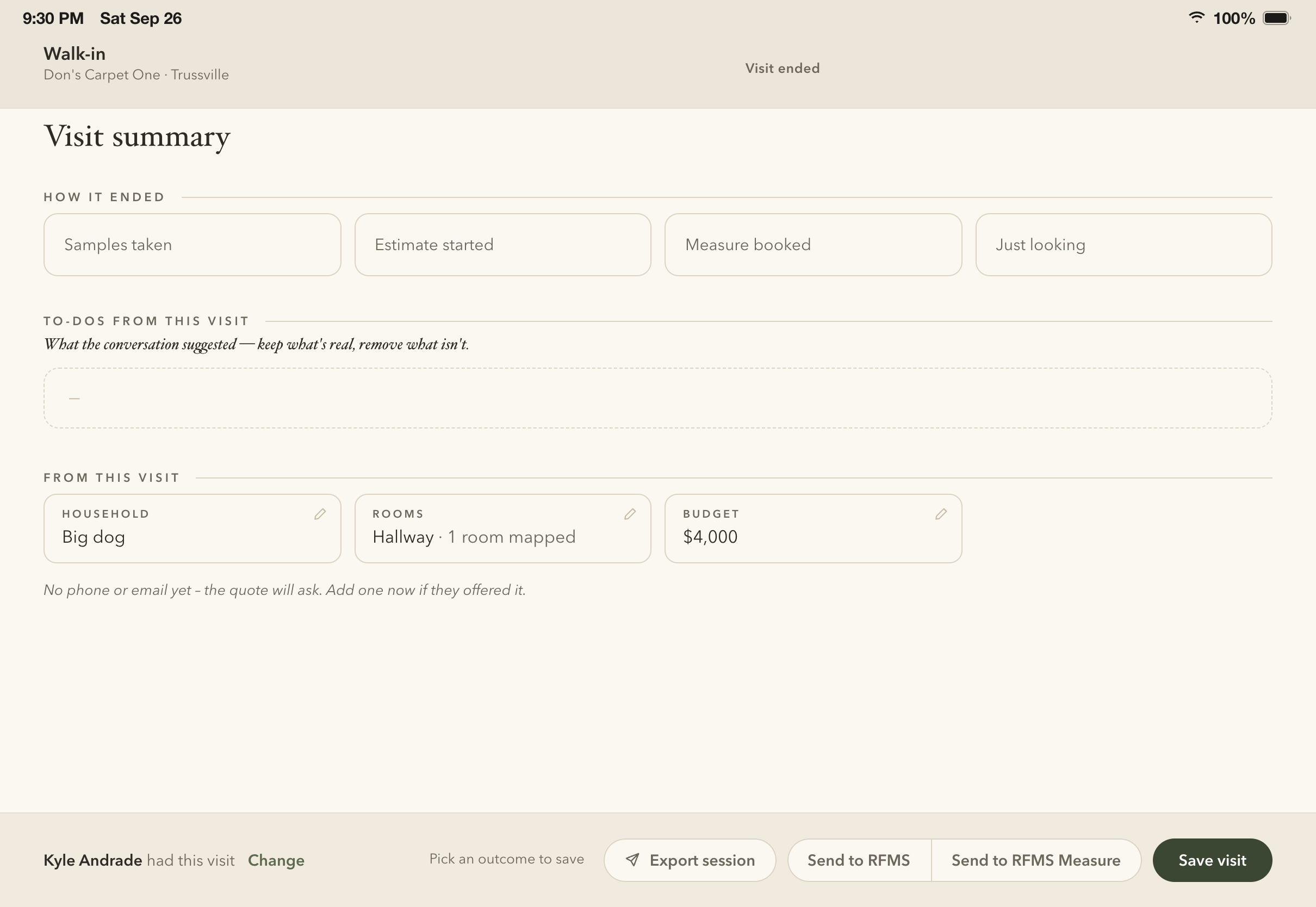
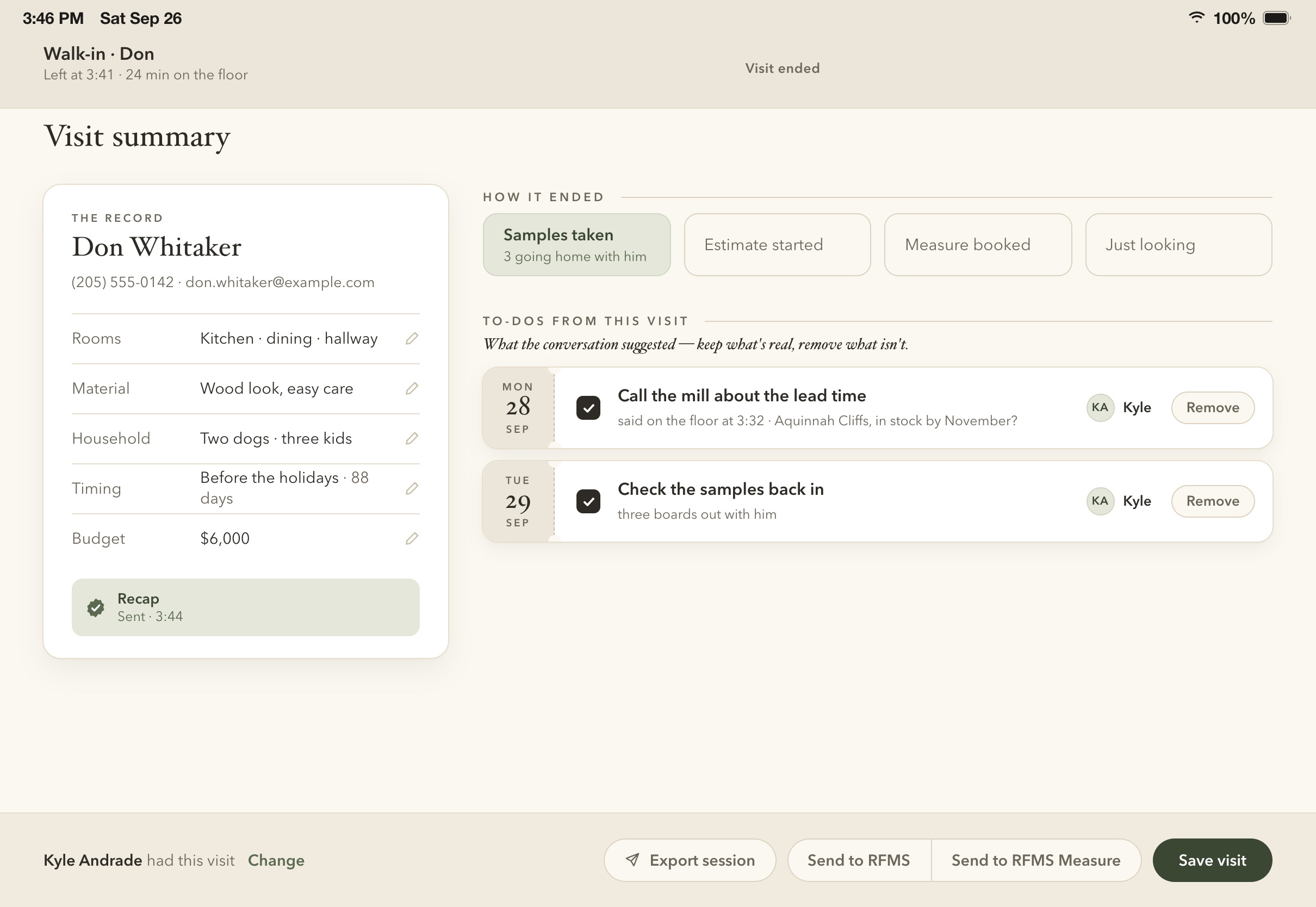
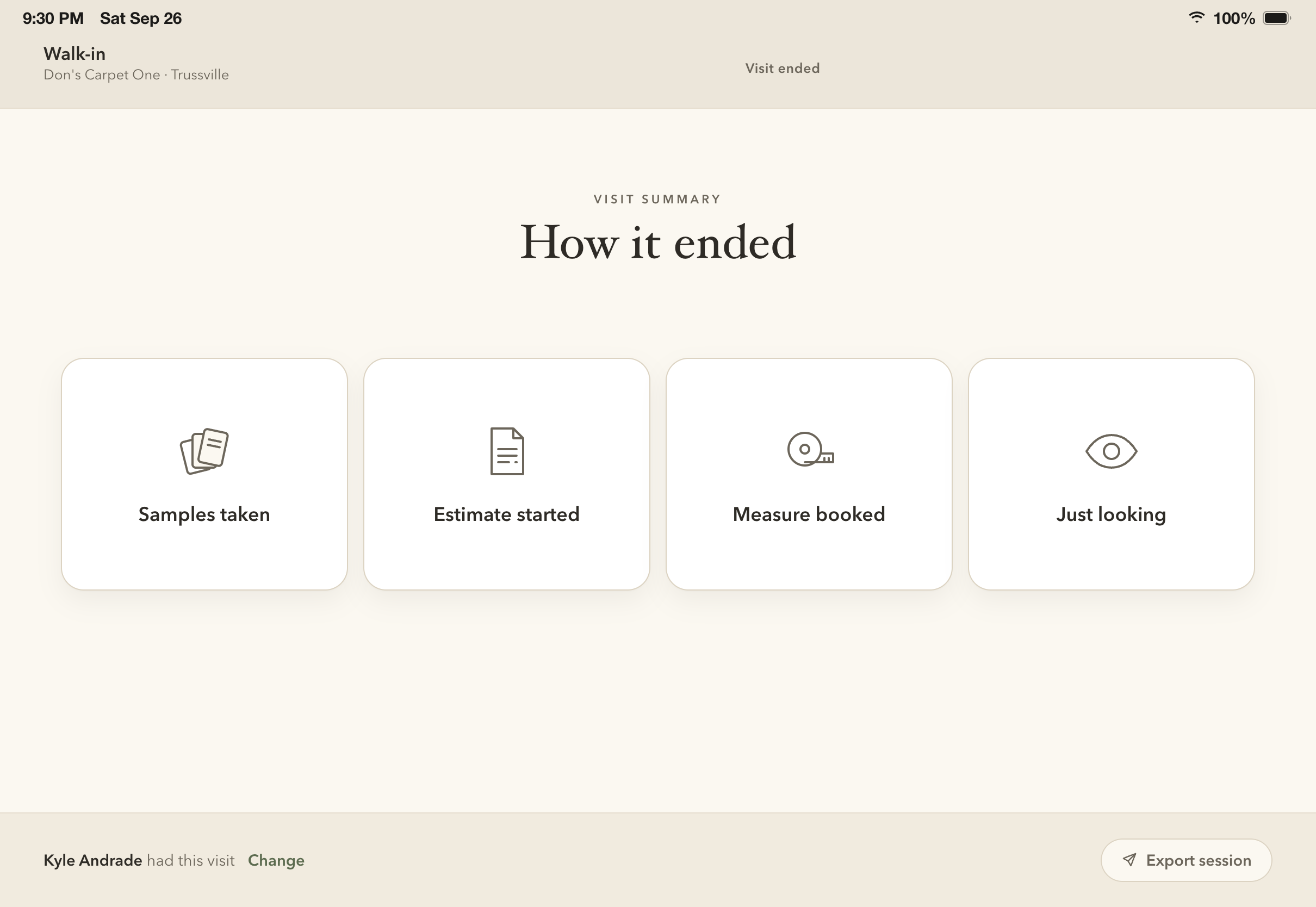
After: the new summary Before: today's summary
BeforeAfter

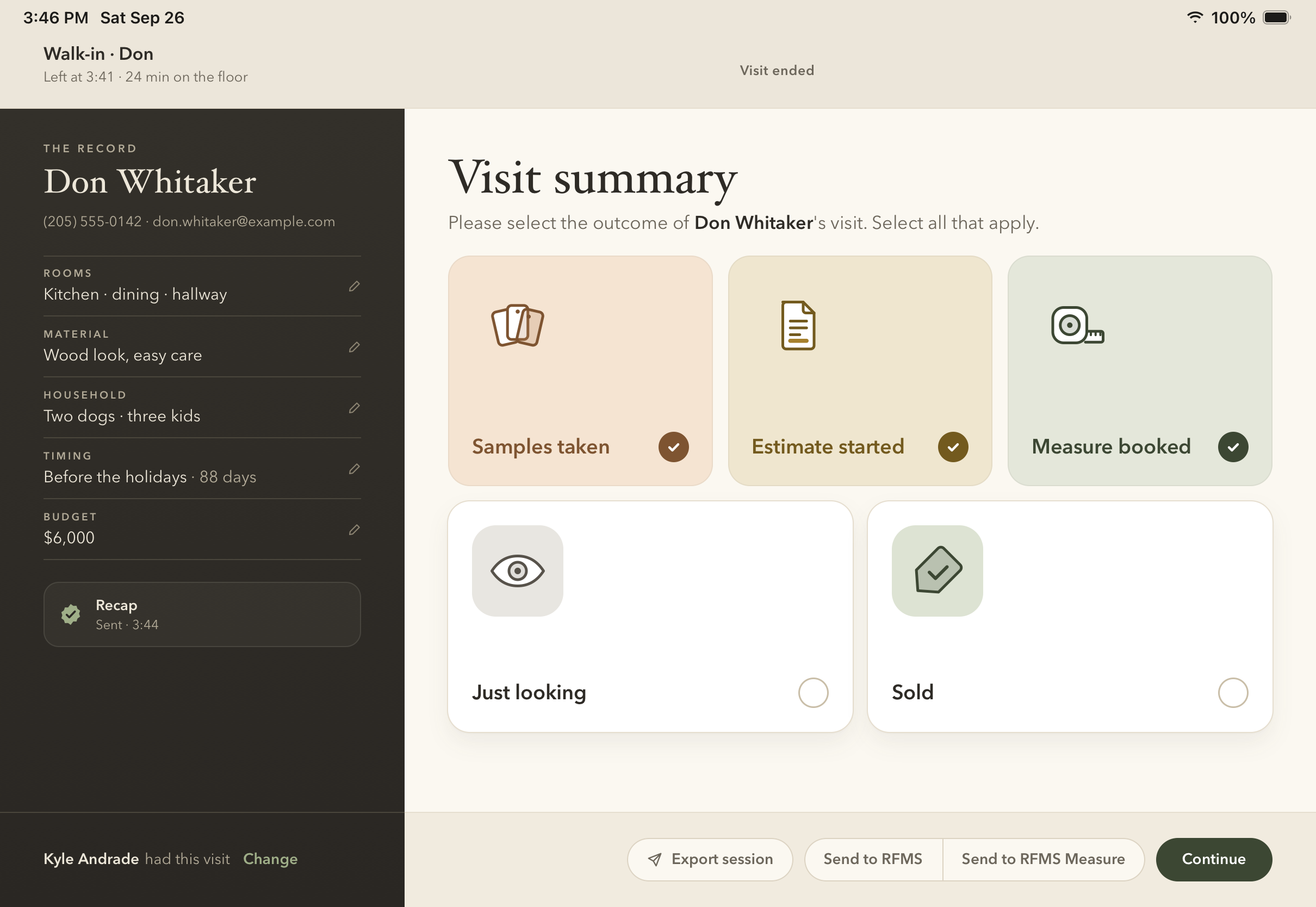
Try the tap

Every case
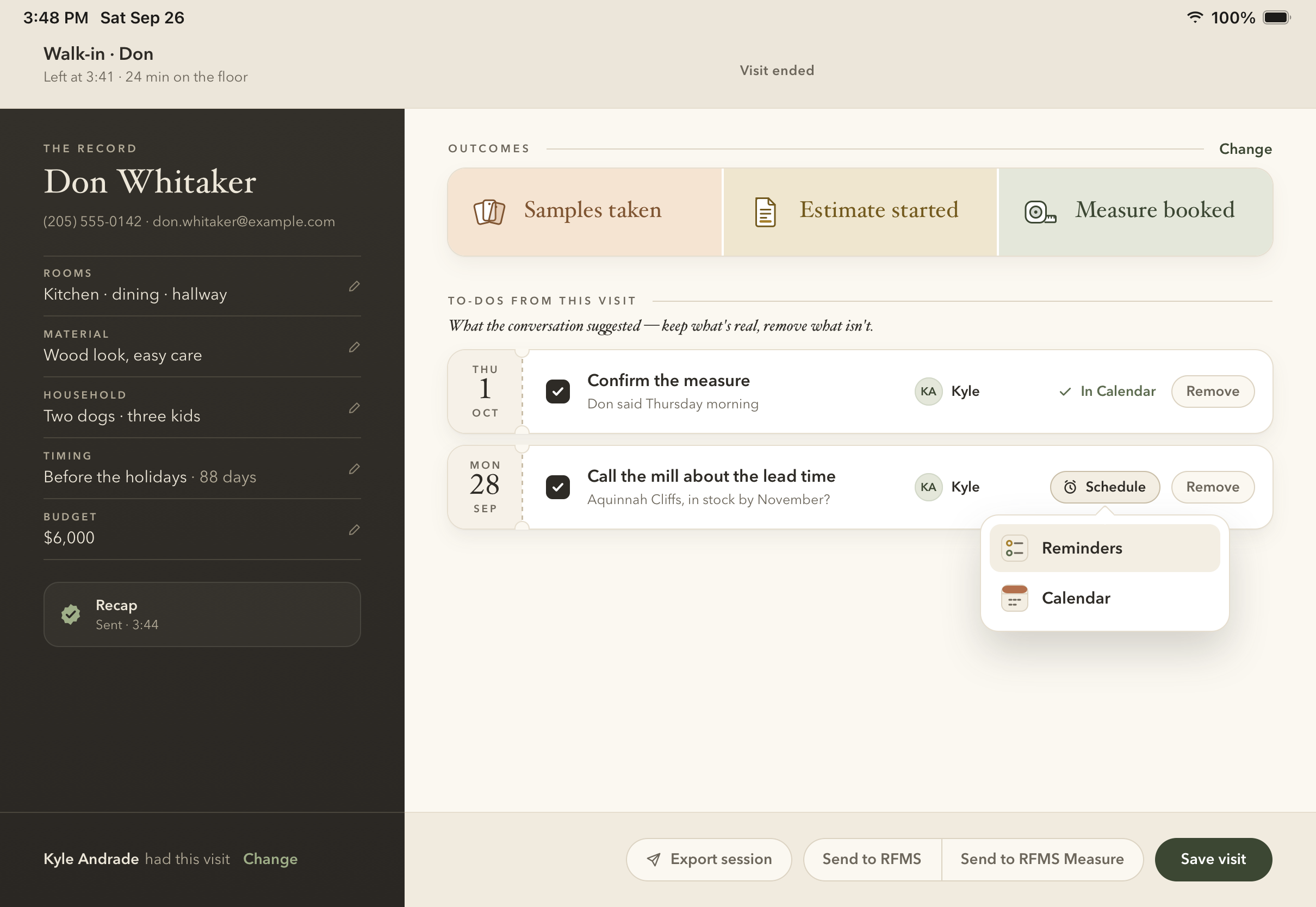
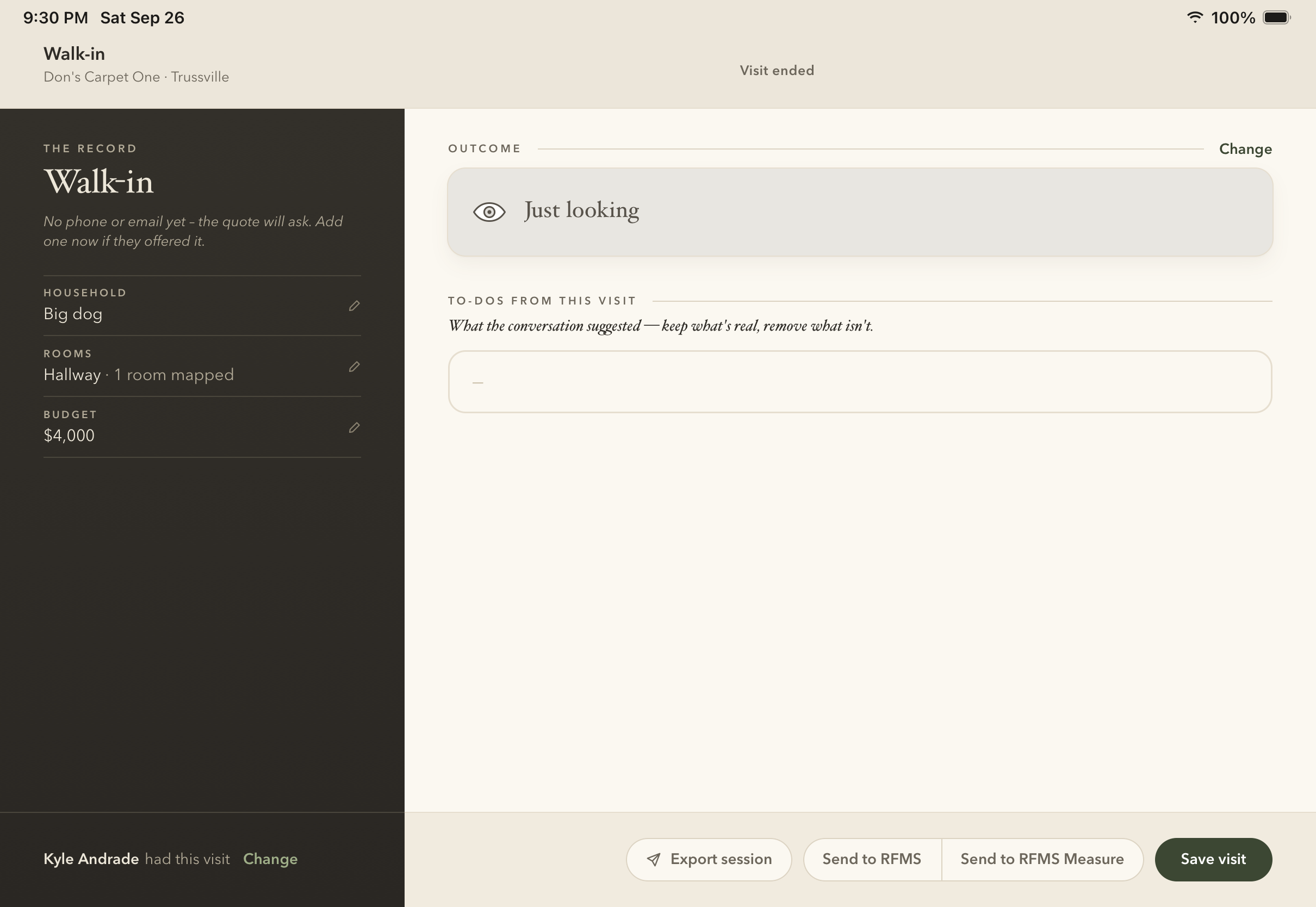
A walk-in, before a tap
Three tapped
Three tapped
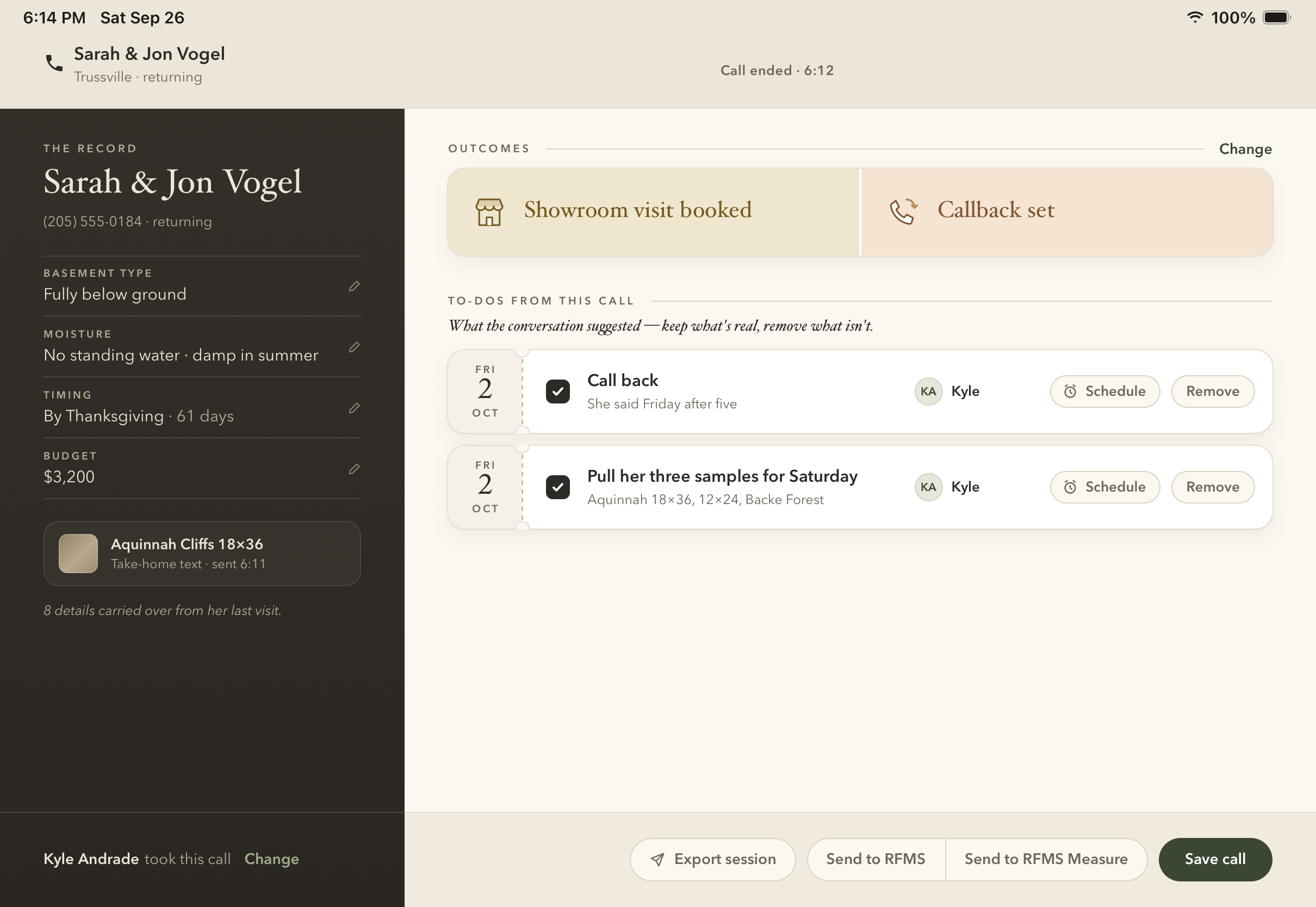
The summary and its to-dos
Calendar or Reminders
A call, two tapped
A call, two tapped
The call's summary
The call's summary
Just looking
Just looking
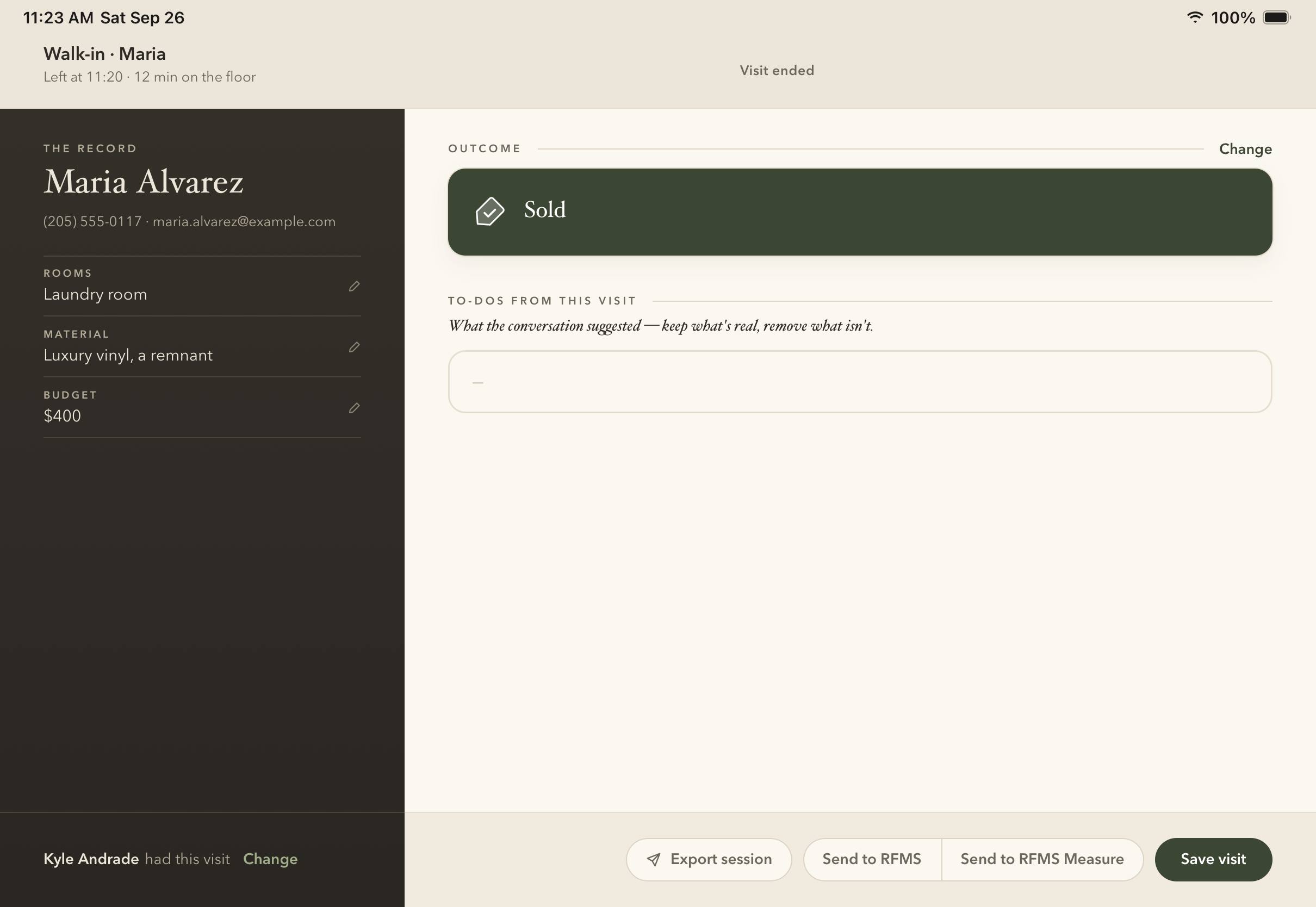
Sold
Sold
Round one, three directions
A, to-dos first
ATo-dos first
B, the customer card
BThe customer card
C, one question first
COne question first
06

The budget card

A touch on the number flipped the check. Now it has room.
Fixed
Before
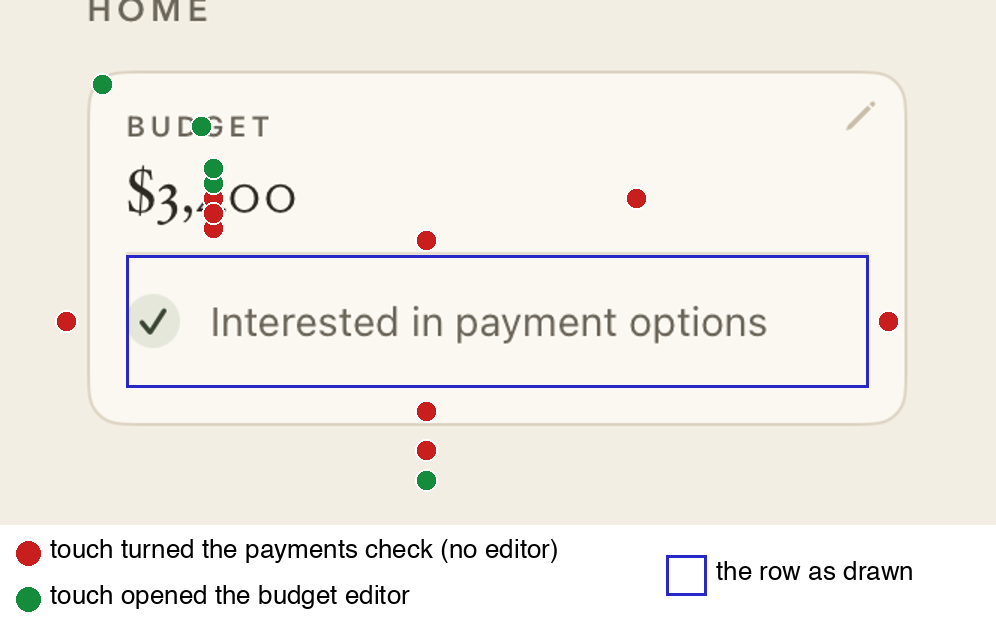
Before: where each touch went
→
After
After: the fixed card